Introduction
Hi, I'm cardene, a software engineer and technical writer focused on blockchain and AI.
I've also authored Japanese technical books on specification-driven development with LLMs and decentralized application (DApp) development.

I also build and publish a variety of tools, libraries, and open-source projects.
In this article, I explore the NounsDescriptor contract in Nouns using Bunzz's new DeCipher feature.
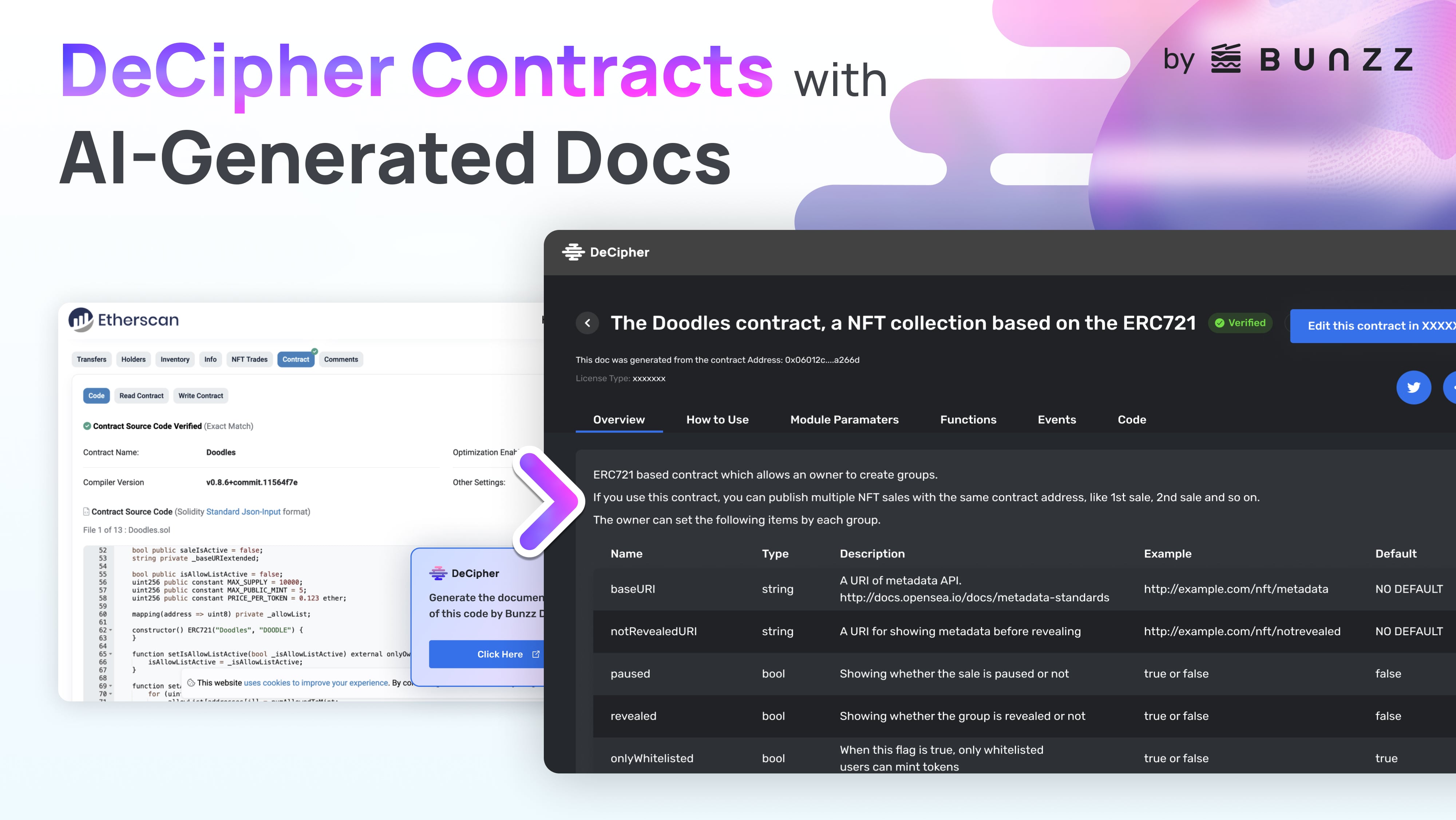
DeCipher is a service that uses AI to automatically generate contract documentation.
For detailed instructions on using it, see the following article.
This article reflects my personal experience with DeCipher. There may be inaccuracies, so please point them out in the comments if you find any.
The following link leads to the DeCipher page used in this article.
The Etherscan link is below.

Overview
The NounsDescriptor contract is an important component of a larger system on the Ethereum blockchain. The system is designed to interact with non-fungible tokens (NFTs), which are unique digital assets that can be bought, sold, and owned like physical items.
Purpose of the NounsDescriptor contract
Its purpose is to provide detailed descriptions of each NFT. These include information about the appearance of the NFT. For example, the color palette, background, body, accessories, and head are described in detail. The contract also manages whether new parts can be added and whether the token URI (Uniform Resource Identifier) is returned as a data URI.
In addition, NounsDescriptor manages the base URI used to identify and access NFTs. The base URI is a string forming the common portion of each NFT's identifier, allowing NFTs to be identified on the blockchain.
How the NounsDescriptor contract works
The NounsDescriptor contract uses data structures such as variables and mappings to store and manage information about each NFT. For example, palette information is stored in a mapping, while backgrounds, bodies, accessories, and heads are stored in arrays. Functions are pieces of code that perform specific tasks, such as retrieving the base URI or the color palette for a particular NFT.
Why the NounsDescriptor contract matters
The NounsDescriptor contract plays an important role in operating the NFT system. By providing detailed descriptions of individual NFTs, it allows users to understand and appreciate their unique features. By managing the base URI and other important data, NounsDescriptor also helps identify and locate NFTs accurately on the blockchain.
In short, NounsDescriptor plays an important role in the NFT system on the Ethereum blockchain. It provides detailed descriptions, manages essential data, and enables NFTs to be accurately identified and located, making it an important tool for people interested in buying, selling, or owning NFTs.
Related links
- NounsAuctionHouse on Etherscan
- NounsDAOExecutor on Etherscan
- NounsDAOProxy on Etherscan
- GovernorBravoDelegator on Etherscan
- Official website for Nouns
Usage
Contract objective
The NounsDescriptor contract aims to provide detailed descriptions of Nouns tokens. The Nouns project is part of a decentralized autonomous organization (DAO) that generates one Noun (NFT) each day.
Steps for using the contract
1. Deploy the contract
First, deploy the NounsDescriptor contract to the Ethereum network. This is the process of deploying a contract on the blockchain. Development tools such as Truffle and Hardhat can be used for deployment.
2. Call the tokenURI function
Once the contract is deployed, call tokenURI to retrieve the URI of a particular Noun token.
Specify the token ID as an argument to retrieve the URI (Uniform Resource Identifier) associated with that token.
It can be used to retrieve detailed information about the NFT.
3. Call the dataURI function
To retrieve the data URI of a particular Noun token, use the dataURI function.
Similarly, provide the token ID as an argument to retrieve the NFT's data URI.
The data URI represents detailed NFT data, including images and metadata.
4. Call the tokenSVG function
If you want to retrieve the SVG representation of a particular Noun token, call the tokenSVG function.
Similarly, provide the token ID as an argument to retrieve the NFT's SVG representation.
SVG is a vector image format useful for displaying the appearance of an NFT.
These steps allow developers to work with the NounsDescriptor contract. They outline the basic process for retrieving detailed information, URIs, data URIs, and SVG representations of individual Noun tokens. Developers can use this information to work with NFT data and presentation.
Note This guide assumes a basic understanding of Ethereum, smart contracts, and the Solidity programming language. If these topics are new to you, I recommend learning about them before proceeding.
The NounsDescriptor contract is also part of a broader ecosystem of contracts. To fully understand its functionality, it is important to explore the other contracts in the Nouns project.
Contracts
NounsDescriptor
COPYRIGHT_CC0_1_0_UNIVERSAL_LICENSE
bytes32 constant COPYRIGHT_CC0_1_0_UNIVERSAL_LICENSE = 0xa2010f343487d3f7618affe54f789f5487602331c0a8d03f49e9a7c547cf0499;Overview Represents the hash of the text of the Creative Commons CC0 1.0 public domain dedication.
Details
The value 0xa2010f343487d3f7618affe54f789f5487602331c0a8d03f49e9a7c547cf0499 is the hash of the text of the Creative Commons CC0 1.0 public domain dedication.
The COPYRIGHT_CC0_1_0_UNIVERSAL_LICENSE variable stores the hash of the text of the Creative Commons CC0 1.0 public domain dedication.
// SPDX-License-Identifier: CC0-1.0
pragma solidity ^0.8.0;

contract LicenseExample {
    // COPYRIGHT_CC0_1_0_UNIVERSAL_LICENSE constant
    bytes32 constant COPYRIGHT_CC0_1_0_UNIVERSAL_LICENSE = 0xa2010f343487d3f7618affe54f789f5487602331c0a8d03f49e9a7c547cf0499;

    // Check if a given hash matches the CC0 1.0 license hash
    function isCC0LicenseHash(bytes32 hash) external view returns (bool) {
        return hash == COPYRIGHT_CC0_1_0_UNIVERSAL_LICENSE;
    }
}
This example defines COPYRIGHT_CC0_1_0_UNIVERSAL_LICENSE in the LicenseExample contract and uses it in the isCC0LicenseHash function.
This function checks whether a given hash matches COPYRIGHT_CC0_1_0_UNIVERSAL_LICENSE.
In practice, it may be used as a reference for verifying the license in other contracts or functions.
The COPYRIGHT_CC0_1_0_UNIVERSAL_LICENSE variable therefore provides an in-code reference to the license hash and can indicate that a particular license applies.
arePartsLocked
bool public override arePartsLocked;Overview A boolean indicating whether new Noun parts can be added.
Details
If true, new parts cannot be added.
If false, new parts can be added.
isDataURIEnabled
bool public override isDataURIEnabled = true;Overview
A boolean indicating whether tokenURI is returned as a data URI.
Details
If true, it is returned as a data URI.
If false, it is returned as a regular URL.
baseURI
string public override baseURI;Overview A string representing the base URI for token metadata.
Details It specifies the base URI for token metadata, such as images. A token-specific identifier or similar value is appended to construct the complete metadata URL.
palettes
mapping(uint8 => string[]) public override palettes;Overview A mapping of arrays storing Noun color palettes.
Details
This mapping stores color palettes for different Noun parts. Each uint8 index maps to an array of corresponding color-code strings.
backgrounds
string[] public override backgrounds;Overview An array storing Noun background colors (hexadecimal color codes).
Details
This array stores information about Noun background colors.
Background colors are represented as hex color codes.
bodies
bytes[] public override bodies;Overview An array storing custom Run-Length Encoding (RLE) data for Noun bodies.
Details This array stores custom RLE data for Noun bodies. It contains different body designs.
Run-Length Encoding (RLE) A data compression technique that represents consecutive runs of identical data as a combination of a repetition count and a data value. RLE is particularly effective when patterns occur repeatedly in the data.
The basic idea is to identify consecutive identical values and store the number of occurrences along with the value itself. This allows repeated data to be compressed by representing its occurrences with a count instead of storing each occurrence individually.
For example, compressing the string "AAAABBBCCDAA" using RLE produces "4A3B2C1D2A".
Here, A is repeated 4 times, B 3 times, C 2 times, D once, and finally A another 2 times.
When using RLE in Solidity, it is common to define a custom data structure and store the data in that structure in RLE format. This allows data with many repeated patterns to be stored efficiently.
The following is a simple example of representing RLE data in Solidity.
contract RLEExample {
    struct RLEData {
        bytes data; // Compressed RLE data
        uint256[] counts; // Number of times each value is repeated
    }

    function compressData(bytes memory originalData) internal pure returns (RLEData memory) {
        RLEData memory compressed;

        // Compress the data using RLE
        bytes memory compressedData;
        uint256[] memory dataCounts;

        uint256 count = 1;
        for (uint256 i = 1; i < originalData.length; i++) {
            if (originalData[i] == originalData[i - 1]) {
                count++;
            } else {
                compressedData.push(originalData[i - 1]);
                dataCounts.push(count);
                count = 1;
            }
        }
        compressedData.push(originalData[originalData.length - 1]);
        dataCounts.push(count);

        compressed.data = compressedData;
        compressed.counts = dataCounts;

        return compressed;
    }
}
The example defines an RLEData struct to store the RLE data and occurrence counts.
The compressData function accepts the original data and returns the RLE-compressed data and occurrence counts.
RLE is particularly useful for data with repeated patterns and is one way to compress such data efficiently.
accessories
bytes[] public override accessories;Overview An array storing custom Run-Length Encoding (RLE) data for Noun accessories.
Details This array stores custom RLE data for Noun accessories. It contains different accessory designs.
heads
bytes[] public override heads;Overview An array storing custom Run-Length Encoding (RLE) data for Noun heads.
Details This array stores custom RLE data for Noun heads. It contains different head designs.
glasses
bytes[] public override glasses;Overview An array storing custom Run-Length Encoding (RLE) data for Noun glasses.
Details This array stores custom RLE data for Noun glasses, including different glasses designs.
whenPartsNotLocked
modifier whenPartsNotLocked() {
        require(!arePartsLocked, 'Parts are locked');
        _;
}
Overview A modifier that checks that parts are not locked.
Details
The modifier runs before the function and checks that arePartsLocked is false (unlocked).
If the variable is true, execution stops with the error message 'Parts are locked'.
backgroundCount
backgroundCount
function backgroundCount() external view override returns (uint256) {
        return backgrounds.length;
}
Overview
Retrieves the number of available Noun backgrounds.
Return value
uint256- Number of available Noun backgrounds.
bodyCount
bodyCount
function bodyCount() external view override returns (uint256) {
        return bodies.length;
}
Overview
Retrieves the number of available Noun bodies.
Return value
uint256- Number of available Noun bodies.
accessoryCount
accessoryCount
function accessoryCount() external view override returns (uint256) {
        return accessories.length;
}
Overview
Retrieves the number of available Noun accessories.
Return value
uint256- Number of available Noun accessories.
headCount
詳細
function headCount() external view override returns (uint256) {
        return heads.length;
}
Overview
Retrieves the number of available Noun heads.
Return value
uint256- Number of available Noun heads.
glassesCount
glassesCount
function glassesCount() external view override returns (uint256) {
        return glasses.length;
}
Overview
Retrieves the number of available Noun glasses.
Return value
uint256- Number of available Noun glasses.
addManyColorsToPalette
addManyColorsToPalette
function addManyColorsToPalette(uint8 paletteIndex, string[] calldata newColors) external override onlyOwner {
        require(palettes[paletteIndex].length + newColors.length <= 256, 'Palettes can only hold 256 colors');
        for (uint256 i = 0; i < newColors.length; i++) {
            _addColorToPalette(paletteIndex, newColors[i]);
        }
}
Overview Adds colors to a color palette.
Details
The owner can call this function to add multiple colors to a specified color palette.
It accepts the palette index and an array of new colors and ensures that the resulting palette contains no more than 256 colors.
Arguments
paletteIndex- Color palette index.
newColors- Array of colors to add.
Return value None.
addManyBackgrounds
addManyBackgrounds
function addManyBackgrounds(string[] calldata _backgrounds) external override onlyOwner whenPartsNotLocked {
        for (uint256 i = 0; i < _backgrounds.length; i++) {
            _addBackground(_backgrounds[i]);
        }
}
Overview Adds multiple Noun backgrounds in a batch.
Details The owner can call this function while the parts are unlocked. It adds each Noun background in the supplied array in order.
Arguments
_backgrounds- Array of Noun backgrounds to add.
Return value None.
addManyBodies
addManyBodies
function addManyBodies(bytes[] calldata _bodies) external override onlyOwner whenPartsNotLocked {
        for (uint256 i = 0; i < _bodies.length; i++) {
            _addBody(_bodies[i]);
        }
}
Overview Adds multiple Noun bodies in a batch.
Arguments
_bodies- Array of byte sequences representing the Noun bodies to add.
Return value None.
addManyAccessories
addManyAccessories
function addManyAccessories(bytes[] calldata _accessories) external override onlyOwner whenPartsNotLocked {
        for (uint256 i = 0; i < _accessories.length; i++) {
            _addAccessory(_accessories[i]);
        }
}
Overview Adds multiple Noun accessories in a batch.
Arguments
_accessories- Array of byte sequences representing the Noun accessories to add.
Return value None.
addManyHeads
addManyHeads
function addManyHeads(bytes[] calldata _heads) external override onlyOwner whenPartsNotLocked {
        for (uint256 i = 0; i < _heads.length; i++) {
            _addHead(_heads[i]);
        }
}
Overview Adds multiple Noun heads in a batch.
Arguments
_heads- Array of byte sequences representing the Noun heads to add.
Return value None.
addManyGlasses
addManyGlasses
function addManyGlasses(bytes[] calldata _glasses) external override onlyOwner whenPartsNotLocked {
        for (uint256 i = 0; i < _glasses.length; i++) {
            _addGlasses(_glasses[i]);
        }
}
Overview Adds multiple Noun glasses in a batch.
Arguments
_glasses- Array of byte sequences representing the Noun glasses to add.
Return value None.
addColorToPalette
addColorToPalette
function addColorToPalette(uint8 _paletteIndex, string calldata _color) external override onlyOwner {
        require(palettes[_paletteIndex].length <= 255, 'Palettes can only hold 256 colors');
        _addColorToPalette(_paletteIndex, _color);
}
Overview Adds a single color to a color palette.
Details
The owner can call this function to add one color to the specified color palette.
It accepts the palette index and the color string to add, ensuring that the palette contains no more than 256 colors.
Arguments
_paletteIndex- Color palette index.
_color- String representing the color to add.
Return value None.
addBackground
addBackground
function addBackground(string calldata _background) external override onlyOwner whenPartsNotLocked {
        _addBackground(_background);
}
Overview Adds a Noun background.
Details The owner can call this function to add a Noun background while parts are unlocked.
Arguments
_background- String representing the Noun background to add.
Return value None.
addBody
addBody
function addBody(bytes calldata _body) external override onlyOwner whenPartsNotLocked {
        _addBody(_body);
}
Overview Adds a Noun body.
Details The owner can call this function to add a Noun body while parts are unlocked.
Arguments
_body- Byte sequence representing the Noun body to add.
Return value None.
addAccessory
addAccessory
function addAccessory(bytes calldata _accessory) external override onlyOwner whenPartsNotLocked {
        _addAccessory(_accessory);
}
Overview Adds a Noun accessory.
Details The owner can call this function to add a Noun accessory while parts are unlocked.
Arguments
_accessory- Byte sequence representing the Noun accessory to add.
Return value None.
addHead
addHead
function addHead(bytes calldata _head) external override onlyOwner whenPartsNotLocked {
        _addHead(_head);
}
Overview Adds a Noun head.
Details The owner can call this function to add a Noun head while parts are unlocked.
Arguments
_head- Byte sequence representing the Noun head to add.
Return value None.
addGlasses
addGlasses
function addGlasses(bytes calldata _glasses) external override onlyOwner whenPartsNotLocked {
        _addGlasses(_glasses);
}
Overview Adds Noun glasses.
Details The owner can call this function to add Noun glasses while parts are unlocked.
Arguments
_glasses- Byte sequence representing the Noun glasses to add.
Return value None.
lockParts
lockParts
function lockParts() external override onlyOwner whenPartsNotLocked {
        arePartsLocked = true;

        emit PartsLocked();
}
Overview Locks all Noun parts.
Details The owner can call this function to lock all Noun parts while they are unlocked. Once locked, they cannot be unlocked.
Return value None.
toggleDataURIEnabled
toggleDataURIEnabled
function toggleDataURIEnabled() external override onlyOwner {
        bool enabled = !isDataURIEnabled;

        isDataURIEnabled = enabled;
        emit DataURIToggled(enabled);
}
Overview
Toggles whether tokenURI returns a data URI or an HTTP URL.
Details
The owner can call this function to switch the return value of tokenURI between a data URI and an HTTP URL.
Return value None.
setBaseURI
setBaseURI
function setBaseURI(string calldata _baseURI) external override onlyOwner {
        baseURI = _baseURI;

        emit BaseURIUpdated(_baseURI);
}
Overview Sets the base URI for all token IDs.
Details
The owner can call this function to set the prefix automatically applied to values returned by tokenURI.
Arguments
_baseURI- Base URI.
Return value None.
tokenURI
tokenURI
function tokenURI(uint256 tokenId, INounsSeeder.Seed memory seed) external view override returns (string memory) {
        if (isDataURIEnabled) {
            return dataURI(tokenId, seed);
        }
        return string(abi.encodePacked(baseURI, tokenId.toString()));
}
Overview Generates a token URI for the official Nouns DAO Nouns.
Details
It uses the supplied token ID and seed to generate a token URI.
It generates a data URI if isDataURIEnabled is enabled; otherwise, it generates an HTTP URL.
Arguments
tokenId- Token ID.
INounsSeeder.Seed memory seed- Seed information.
Return value
memory- Generated token URI.
dataURI
dataURI
function dataURI(uint256 tokenId, INounsSeeder.Seed memory seed) public view override returns (string memory) {
        string memory nounId = tokenId.toString();
        string memory name = string(abi.encodePacked('Noun ', nounId));
        string memory description = string(abi.encodePacked('Noun ', nounId, ' is a member of the Nouns DAO'));

        return genericDataURI(name, description, seed);
}
Overview
Constructs a base64-encoded data URI for an official Nouns DAO Noun based on the supplied token ID and seed (seed).
Details
It generates the name and description from the supplied token ID and seed (seed), then calls genericDataURI to construct the data URI.
Arguments
tokenId- ID of the token.
INounsSeeder.Seed memory seed- Seed information.
Return value
string memory- Base64-encoded data URI.
genericDataURI
genericDataURI
function genericDataURI(
        string memory name,
        string memory description,
        INounsSeeder.Seed memory seed
    ) public view override returns (string memory) {
        NFTDescriptor.TokenURIParams memory params = NFTDescriptor.TokenURIParams({
            name: name,
            description: description,
            parts: _getPartsForSeed(seed),
            background: backgrounds[seed.background]
        });
        return NFTDescriptor.constructTokenURI(params, palettes);
}
Overview
Constructs a base64-encoded data URI from the supplied name, description, and seed (seed).
Details
It accepts the name, description, and seed (seed), uses them to construct NFTDescriptor.TokenURIParams, and calls constructTokenURI to build the data URI.
Arguments
name- Name.
description- Description.
INounsSeeder.Seed memory seed- Seed information.
Return value
string memory- Base64-encoded data URI.
generateSVGImage
generateSVGImage
function generateSVGImage(INounsSeeder.Seed memory seed) external view override returns (string memory) {
        MultiPartRLEToSVG.SVGParams memory params = MultiPartRLEToSVG.SVGParams({
            parts: _getPartsForSeed(seed),
            background: backgrounds[seed.background]
        });
        return NFTDescriptor.generateSVGImage(params, palettes);
}
Overview
Constructs a base64-encoded SVG image from the supplied seed (seed).
Details
The function accepts a seed (seed), uses it to construct MultiPartRLEToSVG.SVGParams, and calls generateSVGImage to build the SVG image.
Arguments
INounsSeeder.Seed memory seed- Seed information.
Return value
string memory- Base64-encoded SVG image.
_addColorToPalette
_addColorToPalette
function _addColorToPalette(uint8 _paletteIndex, string calldata _color) internal {
        palettes[_paletteIndex].push(_color);
}
Overview Adds a single color to a color palette.
Details Adds a color to the palette using the supplied palette index and color.
Arguments
_paletteIndex- Palette index.
_color- Color to add.
Return value None.
_addBackground
_addBackground
function _addBackground(string calldata _background) internal {
        backgrounds.push(_background);
}
Overview Adds a Noun background.
Details Adds the supplied background to the background list.
Arguments
_background- Background to add.
Return value None.
_addBody
_addBody
function _addBody(bytes calldata _body) internal {
        bodies.push(_body);
}
Overview Adds a Noun body.
Details Adds the supplied Noun body to the body list.
Arguments
_body- Byte sequence representing the body to add.
Return value None.
_addAccessory
_addAccessory
function _addAccessory(bytes calldata _accessory) internal {
        accessories.push(_accessory);
}
Overview Adds a Noun accessory.
Details Adds the supplied accessory to the accessory list.
Arguments
_accessory- Byte sequence representing the accessory to add.
Return value None.
_addHead
_addHead
function _addHead(bytes calldata _head) internal {
        heads.push(_head);
}
Overview Adds a Noun head.
Details Adds the supplied head to the head list.
Arguments
_head- Byte sequence representing the head to add.
Return value None.
_addGlasses
tokenURI
function _addGlasses(bytes calldata _glasses) internal {
        glasses.push(_glasses);
}
Overview Adds Noun glasses.
Details Adds the supplied glasses to the glasses list.
Arguments
_glasses- Byte sequence representing the glasses to add.
Return value None.
_getPartsForSeed
tokenURI
function _getPartsForSeed(INounsSeeder.Seed memory seed) internal view returns (bytes[] memory) {
        bytes[] memory _parts = new bytes[](4);
        _parts[0] = bodies[seed.body];
        _parts[1] = accessories[seed.accessory];
        _parts[2] = heads[seed.head];
        _parts[3] = glasses[seed.glasses];
        return _parts;
}
Overview
Retrieves all Noun parts corresponding to a supplied seed (seed).
Details
It uses the supplied seed (seed) to retrieve the corresponding Noun body, accessory, head, and glasses parts.
Arguments
INounsSeeder.Seed memory seed- Seed information.
Return value
bytes[] memory- Array of byte sequences representing the parts.
NFTDescriptor
TokenURIParams
TokenURIParams
struct TokenURIParams {
        string name;
        string description;
        bytes[] parts;
        string background;
}
Overview A struct holding the parameters needed to construct an ERC721 token URI.
Parameters
name- String representing the token's name.
description- String representing the token's description.
parts- Array of byte sequences representing the parts that make up the token.
background- String representing the token's background.
constructTokenURI
constructTokenURI
function constructTokenURI(TokenURIParams memory params, mapping(uint8 => string[]) storage palettes)
        public
        view
        returns (string memory)
    {
        string memory image = generateSVGImage(
            MultiPartRLEToSVG.SVGParams({ parts: params.parts, background: params.background }),
            palettes
        );

        // prettier-ignore
        return string(
            abi.encodePacked(
                'data:application/json;base64,',
                Base64.encode(
                    bytes(
                        abi.encodePacked('{"name":"', params.name, '", "description":"', params.description, '", "image": "', 'data:image/svg+xml;base64,', image, '"}')
                    )
                )
            )
        );
}
Constructs an ERC721 token URI.
Details
It constructs a token URI using the supplied TokenURIParams and palette information.
It generates JSON metadata from the token's name, description, parts, and background information, then base64-encodes it to complete the URI.
Arguments
paramsTokenURIParamsstruct holding ERC721 token metadata parameters.
palettes- Mapping of arrays holding the parts' palette information.
Return value Returns the generated token URI as a string.
generateSVGImage
generateSVGImage
function generateSVGImage(MultiPartRLEToSVG.SVGParams memory params, mapping(uint8 => string[]) storage palettes)
        public
        view
        returns (string memory svg)
    {
        return Base64.encode(bytes(MultiPartRLEToSVG.generateSVG(params, palettes)));
}
Overview Generates the SVG image embedded in an ERC721 token URI.
Details
It uses the supplied SVGParams and palette information to generate an SVG image combining several parts.
Specifically, it calls MultiPartRLEToSVG.generateSVG to generate the SVG image, base64-encodes it, and returns the result.
Arguments
paramsSVGParamsstruct holding the parameters required to generate the SVG image.
palettes- Mapping of arrays holding the parts' palette information.
Return value Returns the generated SVG image as a base64-encoded string.
MultiPartRLEToSVG
SVGParams
SVGParams
struct SVGParams {
        bytes[] parts;
        string background;
}
Overview A struct holding parameters for generating an SVG image.
Details
It holds the information needed to generate the SVG image.
parts stores RLE image parts as an array of byte sequences, and background stores the SVG image's background color as a string.
Parameters
parts- Array of byte sequences storing the RLE image parts.
background- String representing the SVG image's background color.
ContentBounds
ContentBounds
struct ContentBounds {
        uint8 top;
        uint8 right;
        uint8 bottom;
        uint8 left;
}
Overview A struct holding content boundary information.
Details It describes the area in which shapes within the content are placed.
Parameters
top- Top boundary of the content.
right- Right boundary of the content.
bottom- Bottom boundary of the content.
left- Left boundary of the content.
Rect
Rect
struct Rect {
        uint8 length;
        uint8 colorIndex;
}
Overview A struct holding rectangle information.
Details It stores the rectangle length and color index.
Parameters
length- Rectangle length.
colorIndex- Rectangle color index.
DecodedImage
DecodedImage
struct DecodedImage {
        uint8 paletteIndex;
        ContentBounds bounds;
        uint256 width;
        Rect[] rects;
}
Overview A struct holding decoded information about an RLE-compressed image.
Parameters
paletteIndex- Palette index.
bounds- Content bounds.
width- Image width.
rects- Information about each rectangle that makes up the image.
generateSVG
generateSVG
function generateSVG(SVGParams memory params, mapping(uint8 => string[]) storage palettes)
        internal
        view
        returns (string memory svg)
    {
        // prettier-ignore
        return string(
            abi.encodePacked(
                '<svg width="320" height="320" viewBox="0 0 320 320" xmlns="http://www.w3.org/2000/svg" shape-rendering="crispEdges">',
                '<rect width="100%" height="100%" fill="#', params.background, '" />',
                _generateSVGRects(params, palettes),
                '</svg>'
            )
        );
}
Overview Generates a single SVG image by combining RLE image parts with color palettes.
Details
It uses the supplied RLE image parts and palettes to produce an SVG image with the specified background color.
It combines an SVG <rect> element with the SVG rects returned by _generateSVGRects to produce the complete SVG image.
Arguments
paramsSVGParamsstruct holding the parameters needed to generate the SVG image.
palettes- Mapping of color palette arrays.
Return value String representing the generated SVG image.
_generateSVGRects
_generateSVGRects
function _generateSVGRects(SVGParams memory params, mapping(uint8 => string[]) storage palettes)
        private
        view
        returns (string memory svg)
    {
        string[33] memory lookup = [
            '0', '10', '20', '30', '40', '50', '60', '70',
            '80', '90', '100', '110', '120', '130', '140', '150',
            '160', '170', '180', '190', '200', '210', '220', '230',
            '240', '250', '260', '270', '280', '290', '300', '310',
            '320'
        ];
        string memory rects;
        for (uint8 p = 0; p < params.parts.length; p++) {
            DecodedImage memory image = _decodeRLEImage(params.parts[p]);
            string[] storage palette = palettes[image.paletteIndex];
            uint256 currentX = image.bounds.left;
            uint256 currentY = image.bounds.top;
            uint256 cursor;
            string[16] memory buffer;

            string memory part;
            for (uint256 i = 0; i < image.rects.length; i++) {
                Rect memory rect = image.rects[i];
                if (rect.colorIndex != 0) {
                    buffer[cursor] = lookup[rect.length];          // width
                    buffer[cursor + 1] = lookup[currentX];         // x
                    buffer[cursor + 2] = lookup[currentY];         // y
                    buffer[cursor + 3] = palette[rect.colorIndex]; // color

                    cursor += 4;

                    if (cursor >= 16) {
                        part = string(abi.encodePacked(part, _getChunk(cursor, buffer)));
                        cursor = 0;
                    }
                }

                currentX += rect.length;
                if (currentX - image.bounds.left == image.width) {
                    currentX = image.bounds.left;
                    currentY++;
                }
            }

            if (cursor != 0) {
                part = string(abi.encodePacked(part, _getChunk(cursor, buffer)));
            }
            rects = string(abi.encodePacked(rects, part));
        }
        return rects;
}
Overview Generates SVG rects from RLE image parts and color palettes.
Details
It uses the supplied RLE image parts and color palettes to generate SVG <rect> elements.
It generates SVG rects from the rectangle information, combines them, and returns the result.
Arguments
paramsSVGParamsstruct holding the parameters needed to generate the SVG image.
palettes- Mapping of color palette arrays.
Return value String representing the generated SVG rects.
_getChunk
_getChunk
function _getChunk(uint256 cursor, string[16] memory buffer) private pure returns (string memory) {
        string memory chunk;
        for (uint256 i = 0; i < cursor; i += 4) {
            chunk = string(
                abi.encodePacked(
                    chunk,
                    '<rect width="', buffer[i], '" height="10" x="', buffer[i + 1], '" y="', buffer[i + 2], '" fill="#', buffer[i + 3], '" />'
                )
            );
        }
        return chunk;
}
Overview
Returns a string composed of all rectangles in the supplied buffer.
Details
It uses the rectangle information in buffer to generate SVG <rect> elements and combines them into a string.
Arguments
cursor- Integer indicating the current cursor position.
buffer- Array of strings containing rectangle information.
Return value SVG string composed of all the rectangles.
_decodeRLEImage
_decodeRLEImage
function _decodeRLEImage(bytes memory image) private pure returns (DecodedImage memory) {
        uint8 paletteIndex = uint8(image[0]);
        ContentBounds memory bounds = ContentBounds({
            top: uint8(image[1]),
            right: uint8(image[2]),
            bottom: uint8(image[3]),
            left: uint8(image[4])
        });
        uint256 width = bounds.right - bounds.left;

        uint256 cursor;
        Rect[] memory rects = new Rect[]((image.length - 5) / 2);
        for (uint256 i = 5; i < image.length; i += 2) {
            rects[cursor] = Rect({ length: uint8(image[i]), colorIndex: uint8(image[i + 1]) });
            cursor++;
        }
        return DecodedImage({ paletteIndex: paletteIndex, bounds: bounds, width: width, rects: rects });
}
Overview
Decodes a single RLE-compressed image into a DecodedImage.
Details
It decodes the supplied RLE-compressed image data and returns the result as a DecodedImage struct.
It reconstructs the image's palette index, content bounds, width, and information about each rectangle.
Arguments
image- Byte sequence representing the RLE-compressed image.
Return value
The DecodedImage struct.
Events
PartsLocked
PartsLocked
event PartsLocked();Overview Event emitted when parts are locked.
DataURIToggled
DataURIToggled
event DataURIToggled(bool enabled);Overview Event emitted when Data URI mode is toggled.
Parameters
enabledtrueif Data URI mode is enabled;falseif it is disabled.
BaseURIUpdated
BaseURIUpdated
event BaseURIUpdated(string baseURI);Overview Event emitted when the base URI is updated.
Parameters
baseURI- String representing the updated base URI.
Code
Interfaces
/contracts/interfaces/
Libraries
/contracts/libs/
Conclusion
In this article, we explored the NounsDescriptor contract in Nouns using Bunzz's new DeCipher feature. I hope this explanation was useful. I plan to continue covering specific NFTs and contracts in future articles.
I regularly share articles about blockchain and AI on my blog and Qiita, so feel free to explore those as well.