Introduction
Hi, I'm cardene, a software engineer and technical writer focused on blockchain and AI.
I've also authored Japanese technical books on specification-driven development with LLMs and decentralized application (DApp) development.

I also build and publish a variety of tools, libraries, and open-source projects.
In this article, we will use Bunzz's DeCipher feature to examine the NonfungibleTokenPositionDescriptor contract in Uniswap V3.
DeCipher is a service that uses AI to automatically generate contract documentation.
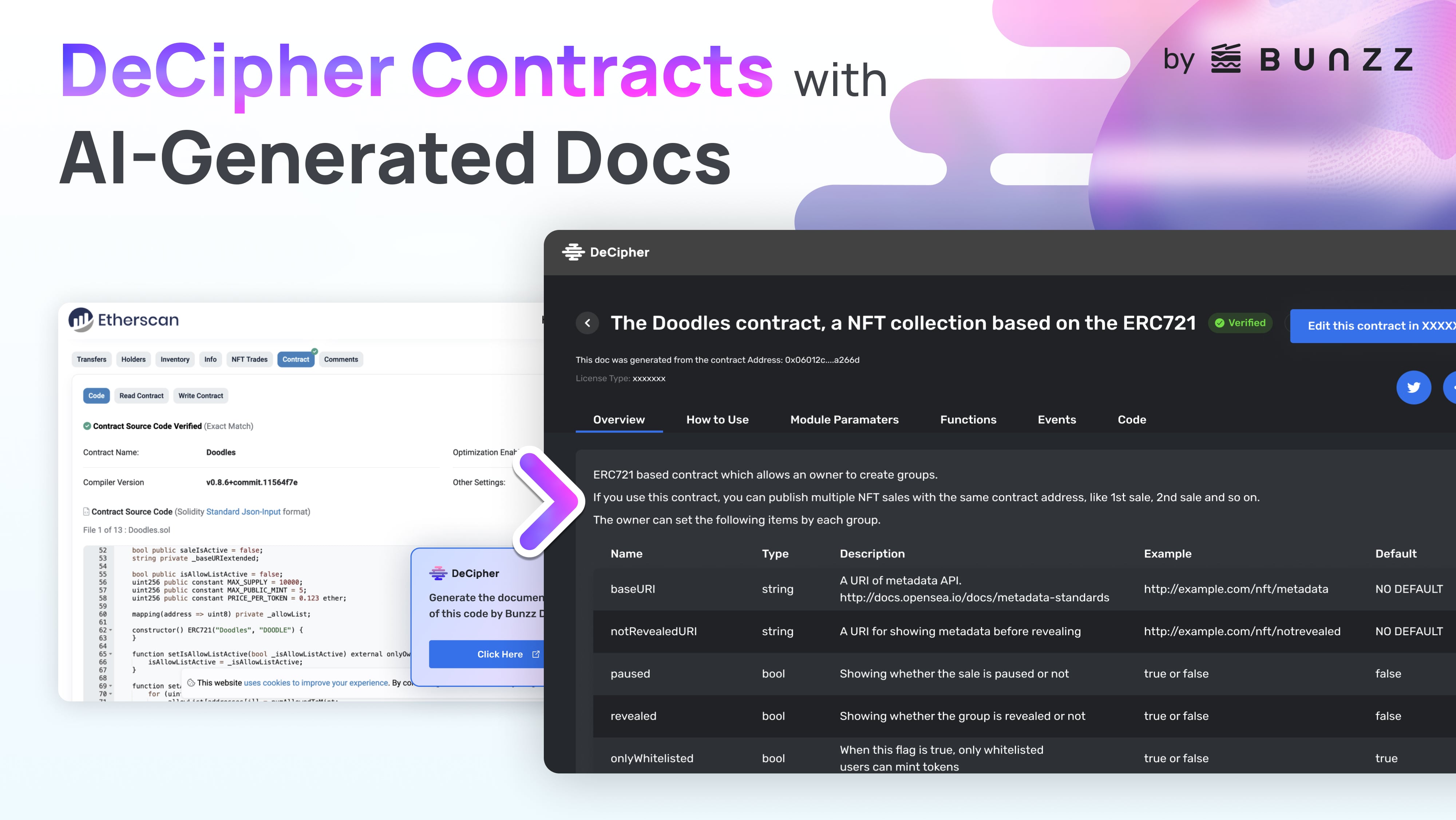
See the following article for detailed usage instructions.
This article reflects my personal experience using DeCipher. If you notice any errors, please point them out in the comments.
Here is the DeCipher link used in this article.
Here is the Etherscan link.

Overview
The NonfungibleTokenPositionDescriptor contract in Uniswap V3 provides detailed information about non-fungible token (NFT) positions.
The purpose of the NonfungibleTokenPositionDescriptor contract is to provide a comprehensive description of NFT positions in Uniswap V3. Specifically, users can obtain important information about a particular NFT position, such as its token ID, pool address, tick range, and liquidity amount.
The contract is also responsible for generating SVG images that visually represent NFT positions. It uses various libraries and interfaces, including SafeERC20Namer, ChainId, NFTDescriptor, and TokenRatioSortOrder, to describe and visualize the positions accurately.
By providing a detailed overview of NFT positions, the NonfungibleTokenPositionDescriptor contract improves the user experience and makes Uniswap V3 easier to understand and analyze. This allows users to obtain information about their NFT positions and make informed decisions to optimize their trading strategies.
Usage
The NonfungibleTokenPositionDescriptor contract is a smart contract for interacting with non-fungible token (NFT) positions in Uniswap V3. Developers can use it to retrieve information associated with NFT positions, including SVG data. Various operations can also be performed on positions.
Purpose
The goal of this contract is to provide a standardized way to retrieve metadata and SVG representations of NFT positions in Uniswap V3. Developers can also perform operations such as minting, burning, and updating metadata.
How to use
- Deploy the NonfungibleTokenPositionDescriptor contract.
- Use the
tokenURIfunction to retrieve the metadata URI of an NFT position. - Specify a position ID to retrieve the metadata URI for that NFT position.
- Specify a position ID and tick spacing to retrieve the metadata URI for an NFT position with custom tick spacing.
- Specify a position ID and custom SVG parameters to retrieve the metadata URI for an NFT position with those parameters.
- Specify a position ID, custom SVG parameters, and tick spacing to retrieve the metadata URI with the specified SVG parameters and tick spacing.
- Use the
mintfunction to create a new NFT position. - Use the
burnfunction to destroy an existing NFT position. - Use the
updateTokenURIfunction to update the metadata URI of an existing NFT position.
Functions
tokenURI(uint256 tokenId)
Retrieves the metadata URI of an NFT position.
tokenURI
Retrieves the metadata URI of a particular NFT position with custom tick spacing.
tokenURI
Retrieves the metadata URI of a particular NFT position with custom SVG parameters.
tokenURI
Retrieves the metadata URI of a particular NFT position with custom SVG parameters and tick spacing.
mint
Mints a new NFT position.
burn
Burns an existing NFT position.
updateTokenURI
Updates the metadata URI of an existing NFT position.
Events
Mint
Emitted when a new NFT position is minted.
Burn
Emitted when an existing NFT position is burned.
UpdateTokenURI
Emitted when the metadata URI of an existing NFT position is updated.
Contract
NonfungibleTokenPositionDescriptor
DAI
address private constant DAI = 0x6B175474E89094C44Da98b954EedeAC495271d0F;Overview The DAI token contract address.
USDC
address private constant USDC = 0xA0b86991c6218b36c1d19D4a2e9Eb0cE3606eB48;Overview The USDC token contract address.
USDT
address private constant USDT = 0xdAC17F958D2ee523a2206206994597C13D831ec7;Overview The USDT token contract address.
TBTC
address private constant TBTC = 0x8dAEBADE922dF735c38C80C7eBD708Af50815fAa;Overview The TBTC token contract address.
WBTC
address private constant WBTC = 0x2260FAC5E5542a773Aa44fBCfeDf7C193bc2C599;Overview The WBTC token contract address.
WETH9
address public immutable WETH9;Overview The WETH token contract address.
tokenURI
tokenURI
function tokenURI(INonfungiblePositionManager positionManager, uint256 tokenId)
    external
    view
    override
    returns (string memory)
{
    (, , address token0, address token1, uint24 fee, int24 tickLower, int24 tickUpper, , , , , ) =
        positionManager.positions(tokenId);

    IUniswapV3Pool pool =
        IUniswapV3Pool(
            PoolAddress.computeAddress(
                positionManager.factory(),
                PoolAddress.PoolKey({token0: token0, token1: token1, fee: fee})
            )
        );

    bool _flipRatio = flipRatio(token0, token1, ChainId.get());
    address quoteTokenAddress = !_flipRatio ? token1 : token0;
    address baseTokenAddress = !_flipRatio ? token0 : token1;
    (, int24 tick, , , , , ) = pool.slot0();

    return
        NFTDescriptor.constructTokenURI(
            NFTDescriptor.ConstructTokenURIParams({
                tokenId: tokenId,
                quoteTokenAddress: quoteTokenAddress,
                baseTokenAddress: baseTokenAddress,
                quoteTokenSymbol: SafeERC20Namer.tokenSymbol(quoteTokenAddress),
                baseTokenSymbol: SafeERC20Namer.tokenSymbol(baseTokenAddress),
                quoteTokenDecimals: IERC20Metadata(quoteTokenAddress).decimals(),
                baseTokenDecimals: IERC20Metadata(baseTokenAddress).decimals(),
                flipRatio: _flipRatio,
                tickLower: tickLower,
                tickUpper: tickUpper,
                tickCurrent: tick,
                tickSpacing: pool.tickSpacing(),
                fee: fee,
                poolAddress: address(pool)
            })
        );
}
Overview Retrieves the metadata of a Uniswap V3 position corresponding to the specified token ID.
Details
- Retrieve position information using the given token ID.
- Retrieve the addresses of token0 and token1, the fee,
tickrange, and other position details. - Calculate the corresponding pool address using token0 and token1.
- Retrieve the token symbols and decimals from the addresses of token0 and token1.
- Determine whether to flip the price ratio based on the addresses of token0 and token1.
- Retrieve the current
tickfrom the pool. - Construct the token URI using a method from the NFTDescriptor library.
Arguments
positionManager- An instance of the position manager implementing the INonfungiblePositionManager interface.
tokenId- The token ID.
Return value
string- A token URI string containing the position metadata.
Example:
Suppose a Uniswap V3 position has cryptocurrency A and cryptocurrency B as token0 and token1, respectively, and its token ID is 12345.
The function operates as follows.
- Retrieve information about the position corresponding to token ID
12345. This includes the token0 address, token1 address, fee, andtickrange. - Calculate the Uniswap V3 pool address using the addresses of token0 and token1.
- Retrieve the corresponding token symbols (for example, ETH and USDC) and decimals from the addresses of token0 and token1.
- Calculate token ordering priorities using the addresses of token0 and token1 to determine whether to flip the ratio.
- Retrieve the current
tickfrom the pool. - Construct the token URI using the
constructTokenURImethod of the NFTDescriptor library. This incorporates the token ID, token symbols, decimals, ratio orientation,tickrange, fee, and other information. - Return the constructed token URI as a string. This URI represents the metadata of the Uniswap V3 position associated with the specific token ID.
The tokenURI function retrieves metadata for the Uniswap V3 position corresponding to the given token ID, constructs a token URI from it, and returns that URI.
The URI allows external consumers to retrieve detailed position information and metadata.
flipRatio
flipRatio
function flipRatio(
    address token0,
    address token1,
    uint256 chainId
) public view returns (bool) {
    return tokenRatioPriority(token0, chainId) > tokenRatioPriority(token1, chainId);
}
Overview Determines and returns whether to flip the price ratio of two tokens based on their ordering priorities.
Details
- Obtain the priority of each token using the
tokenRatioPriorityfunction. - Return
trueif token0 has a higher priority than token1; otherwise, returnfalse.
Arguments
token0- The address of token0.
token1- The address of token1.
chainId- The chain ID.
Return value
bool- A Boolean indicating whether the token ratio is flipped.
tokenRatioPriority
tokenRatioPriority
function tokenRatioPriority(address token, uint256 chainId) public view returns (int256) {
    if (token == WETH9) {
        return TokenRatioSortOrder.DENOMINATOR;
    }
    if (chainId == 1) {
        if (token == USDC) {
            return TokenRatioSortOrder.NUMERATOR_MOST;
        } else if (token == USDT) {
            return TokenRatioSortOrder.NUMERATOR_MORE;
        } else if (token == DAI) {
            return TokenRatioSortOrder.NUMERATOR;
        } else if (token == TBTC) {
            return TokenRatioSortOrder.DENOMINATOR_MORE;
        } else if (token == WBTC) {
            return TokenRatioSortOrder.DENOMINATOR_MOST;
        } else {
            return 0;
        }
    }
    return 0;
}
Overview Calculates and returns a token's price-ratio ordering priority.
Details
- If the token is WETH9 (Wrapped Ether), return
TokenRatioSortOrder.DENOMINATOR. - On mainnet (chain ID
1), assign priorities to specific tokens. Different tokens receive different values. - If none of these conditions apply, return
0by default.
Arguments
token- The token address.
chainId- The chain ID.
Return value
int256- An integer representing the token's price-ratio ordering priority.
ChainId
See the following reference.
PoolAddress
See the following reference.
NFTDescriptor
sqrt10X128
sqrt10X128
uint256 constant sqrt10X128 = 1076067327063303206878105757264492625226;Overview An integer constant representing the square root of 10 (√10).
Details It uses fixed-point representation to approximate a floating-point number with an integer. Representing the square root of a floating-point number as an integer can improve computational efficiency.
ConstructTokenURIParams
ConstructTokenURIParams
struct ConstructTokenURIParams {
    uint256 tokenId;
    address quoteTokenAddress;
    address baseTokenAddress;
    string quoteTokenSymbol;
    string baseTokenSymbol;
    uint8 quoteTokenDecimals;
    uint8 baseTokenDecimals;
    bool flipRatio;
    int24 tickLower;
    int24 tickUpper;
    int24 tickCurrent;
    int24 tickSpacing;
    uint24 fee;
    address poolAddress;
}
Overview
A struct defining the parameters used within the tokenURI function.
An instance of this struct holds the information needed to construct the token URI.
Parameters
tokenId- The token ID.
quoteTokenAddress- The quote token address.
baseTokenAddress- The base token address.
quoteTokenSymbol- The quote token symbol (for example, USDC).
baseTokenSymbol- The base token symbol (for example, ETH).
quoteTokenDecimals- The quote token decimals.
baseTokenDecimals- The base token decimals.
flipRatio- A Boolean indicating whether the price ratio is flipped.
tickLower- The lower
tick.
- The lower
tickUpper- The upper
tick.
- The upper
tickCurrent- The current
tick.
- The current
tickSpacing- The
tickspacing.
- The
fee- The fee rate.
poolAddress- The Uniswap V3 pool address.
constructTokenURI
constructTokenURI
function constructTokenURI(ConstructTokenURIParams memory params) public pure returns (string memory)Overview Constructs a token URI. The URI contains the token name, description, image, and other information.
Details
- Takes the
ConstructTokenURIParamsstruct as an argument and uses it to generate the individual components of the token metadata. - Encodes the resulting components as a JSON string and returns a string beginning with
data:application/json;base64,.
Arguments
params- An in-memory instance of the
ConstructTokenURIParamsstruct. - Contains the information needed to generate token metadata components.
- An in-memory instance of the
Return value
- A URI string containing the token information.
escapeQuotes
escapeQuotes
function escapeQuotes(string memory symbol) internal pure returns (string memory)Overview Escapes double quotes within a string.
Details Escapes double quotes in the supplied string and returns a new string.
Arguments
symbol- The string to escape.
Return value The escaped string.
generateDescriptionPartOne
generateDescriptionPartOne
function generateDescriptionPartOne(
    string memory quoteTokenSymbol,
    string memory baseTokenSymbol,
    string memory poolAddress
) private pure returns (string memory)
Overview Generates part of the token description. Includes information about the Uniswap V3 pool.
Details Generates part of the token description using the supplied token symbols, pool address, and other information.
Arguments
quoteTokenSymbol- The quote token symbol.
baseTokenSymbol- The base token symbol.
poolAddress- The pool address.
Return value A string representing part of the token description.
generateDescriptionPartTwo
generateDescriptionPartTwo
function generateDescriptionPartTwo(
    string memory tokenId,
    string memory baseTokenSymbol,
    string memory quoteTokenAddress,
    string memory baseTokenAddress,
    string memory feeTier
) private pure returns (string memory)
Overview Generates another part of the token description. Includes token addresses, the fee, and other information.
Details Generates another portion of the token description using the supplied token information and addresses.
Arguments
tokenId- The token ID.
baseTokenSymbol- The base token symbol.
quoteTokenAddress- The quote token address.
baseTokenAddress- The base token address.
feeTier- The fee tier.
Return value A string representing another part of the token description.
generateName
generateName
function generateName(ConstructTokenURIParams memory params, string memory feeTier)
    private
    pure
    returns (string memory)
Overview Generates the token name. Includes information about the Uniswap V3 pool.
Details Generates the token name using the supplied token information, fee tier, and addresses.
Arguments
params- An in-memory instance of the
ConstructTokenURIParamsstruct. - Contains the information needed to generate token metadata components.
- An in-memory instance of the
feeTier- The fee tier.
Return value A string representing the token name.
DecimalStringParams
DecimalStringParams
struct DecimalStringParams {
    uint256 sigfigs;
    uint8 bufferLength;
    uint8 sigfigIndex;
    uint8 decimalIndex;
    uint8 zerosStartIndex;
    uint8 zerosEndIndex;
    bool isLessThanOne;
    bool isPercent;
}
Overview A struct defining the parameters for converting a decimal number to a string. An instance of this struct specifies how to format a decimal number as a string.
Parameters
sigfigs- The number of significant digits.
bufferLength- The string length.
sigfigIndex- The ending index of the significant digits (moves backward when copying significant digits).
decimalIndex- The index of the decimal point (
0if there is no decimal point).
- The index of the decimal point (
zerosStartIndex- The starting index of leading or trailing zeros for very small or large numbers.
zerosEndIndex- The ending index of leading or trailing zeros for very small or large numbers.
isLessThanOne- A Boolean indicating whether the number is less than
1.
- A Boolean indicating whether the number is less than
isPercent- A Boolean indicating whether the string should include
%.
- A Boolean indicating whether the string should include
generateDecimalString
generateDecimalString
function generateDecimalString(DecimalStringParams memory params) private pure returns (string memory)Overview Converts a number to a decimal string.
Details
- Takes the
DecimalStringParamsstruct as an argument and converts a number to a decimal string according to the supplied parameters. - Generates the appropriate string according to conditions such as decimal places, percentage formatting, and numbers below one.
Arguments
params- An in-memory instance of the
DecimalStringParamsstruct. - Contains parameters for numeric conversion.
- An in-memory instance of the
Return value The resulting decimal string.
tickToDecimalString
tickToDecimalString
function tickToDecimalString(
    int24 tick,
    int24 tickSpacing,
    uint8 baseTokenDecimals,
    uint8 quoteTokenDecimals,
    bool flipRatio
) internal pure returns (string memory)
Overview Converts a token price in Uniswap V3 into a decimal string.
Details
Calculates the corresponding token price from a given tick and converts it to a decimal string. It also handles the minimum and maximum tick values separately.
Arguments
tick- The
tickrepresenting the token price.
- The
tickSpacing- The
tickspacing.
- The
baseTokenDecimals- The base token decimals.
quoteTokenDecimals- The quote token decimals.
flipRatio- Whether to invert the token ratio.
Return value The token price converted to a decimal string.
sigfigsRounded
sigfigsRounded
function sigfigsRounded(uint256 value, uint8 digits) private pure returns (uint256, bool)Overview Rounds a number to a specified number of significant digits.
Details
- Takes a number and a digit count and rounds the number to the specified number of significant digits.
Parameters
value- The number to round.
digits- The number of significant digits.
Return value A pair containing the rounded number and a Boolean indicating whether rounding introduced an additional digit.
adjustForDecimalPrecision
adjustForDecimalPrecision
function adjustForDecimalPrecision(
    uint160 sqrtRatioX96,
    uint8 baseTokenDecimals,
    uint8 quoteTokenDecimals
) private pure returns (uint256 adjustedSqrtRatioX96)
Overview Adjusts the price ratio to account for the difference in decimals between two tokens.
Details Takes the price ratio and the difference in token decimals and adjusts the price ratio accordingly.
Arguments
sqrtRatioX96- The square root of the price ratio.
baseTokenDecimals- The base token decimals.
quoteTokenDecimals- The quote token decimals.
Return value The adjusted price ratio.
abs
abs
function abs(int256 x) private pure returns (uint256)Overview Calculates the absolute value of a given integer.
Arguments
x- The integer whose absolute value is calculated.
Return value
A nonnegative integer representing the absolute value of x.
fixedPointToDecimalString
fixedPointToDecimalString
function fixedPointToDecimalString(
    uint160 sqrtRatioX96,
    uint8 baseTokenDecimals,
    uint8 quoteTokenDecimals
) internal pure returns (string memory)
Overview Converts a fixed-point number to a decimal string.
Details
Takes a fixed-point number, adjusts the price ratio for the difference in decimals between the tokens, and converts it to a decimal string.
The processing differs depending on whether the price is less than 1 or at least 1.
Arguments
sqrtRatioX96- The square root of the price ratio.
baseTokenDecimals- The base token decimals.
quoteTokenDecimals- The quote token decimals.
Return value The price ratio converted to a decimal string.
feeToPercentString
feeToPercentString
function feeToPercentString(uint24 fee) internal pure returns (string memory)Overview Converts a fee to a percentage string.
Details
Takes the fee and converts it to a percentage string.
Handles fees of 0 and fees below a specified number of digits appropriately.
Arguments
fee- The fee amount.
Return value The fee converted to a percentage string.
addressToString
addressToString
function addressToString(address addr) internal pure returns (string memory)Overview Converts an address to a hexadecimal string.
Details Takes an address, converts it to a hexadecimal string, and returns it.
Arguments
addr- The address to convert.
Return value The address as a hexadecimal string.
generateSVGImage
generateSVGImage
function generateSVGImage(ConstructTokenURIParams memory params) internal pure returns (string memory svg)Overview Generates an SVG image for the NFT.
Details
Retrieves the necessary information from the ConstructTokenURIParams struct and uses it to generate the NFT's SVG image.
Calculates parameters, colors, coordinates, and other values for each SVG element to construct the NFT design.
Arguments
params- An in-memory instance of the
ConstructTokenURIParamsstruct. - Contains parameters describing the NFT.
- An in-memory instance of the
Return value The generated SVG image string.
overRange
overRange
function overRange(int24 tickLower, int24 tickUpper, int24 tickCurrent) private pure returns (int8)Overview Determines whether the token price is outside the price range.
Details Uses the given current token price to determine whether it is above or below the specified range.
Arguments
tickLower- The
tickrepresenting the lower token price.
- The
tickUpper- The
tickrepresenting the upper token price.
- The
tickCurrent- The
tickrepresenting the current token price.
- The
Return value
If the price is outside the range, -1 (below the lower bound) or 1 (above the upper bound); otherwise, 0.
scale
scale
function scale(uint256 n, uint256 inMn, uint256 inMx, uint256 outMn, uint256 outMx) private pure returns (string memory)Overview Scales a number to a specified range.
Details Scales a given number from an input range to an output range.
Arguments
n- The number to scale.
inMn- The minimum of the input range.
inMx- The maximum of the input range.
outMn- The minimum of the output range.
outMx- The maximum of the output range.
Return value Returns the scaled number as a string.
Consider the following example.
- The input range (
inMntoinMx) is0to100. - The output range (
outMntooutMx) is10to200. - The number
nto scale is50.
In this case, we want to scale n from the input range to the output range.
In other words, we want to map values between the input minimum and maximum to values between the output minimum and maximum.
The calculation steps of the scale function are shown below.
-
Calculate the position of
nwithin the input range. Since the input range is0to100, the position ofnisn - inMn. That is,50 - 0 = 50. -
Calculate the scale factor for converting from the input range to the output range. The scale factor is calculated by dividing the width of the output range by the width of the input range. In this case, the scale factor is
outMx - outMndivided byinMx - inMn. That is,150 / 100 = 1.5. -
Multiply the position (
n - inMn) by the scale factor and add the minimum of the output range to obtain the scaled value. The formula is as follows.scaledValue = (n - inMn) * scaleFactor + outMn. That is,50 * 1.5 + 10 = 85.
According to the calculation above, the original number n is scaled from the input range [0, 100] to the output range [10, 200] and converted to 85.
The scale function is used to map a number from a specified input range to an output range.
tokenToColorHex
tokenToColorHex
function tokenToColorHex(uint256 token, uint256 offset) internal pure returns (string memory str)Overview Generates a hexadecimal color code from token information.
Details Uses the given token information to perform a bit shift at the specified offset and generate a hexadecimal color code.
Arguments
token- An integer representing token information.
offset- The bit-shift offset.
Return value The generated hexadecimal color code string.
getCircleCoord
getCircleCoord
function getCircleCoord(uint256 tokenAddress, uint256 offset, uint256 tokenId) internal pure returns (uint256)Overview Calculates a circle coordinate based on the token address, offset, and token ID.
Details Calculates the circle coordinate from the given token address, offset, and token ID.
Arguments
tokenAddress- An integer representing the token address.
offset- The bit-shift offset.
tokenId- An integer representing the token ID.
Return value An integer representing the calculated coordinate.
sliceTokenHex
sliceTokenHex
function sliceTokenHex(uint256 token, uint256 offset) internal pure returns (uint256)Overview Extracts a slice of bits from token information.
Details Extracts a slice of bits from the given token information at the specified offset and returns the result.
Arguments
token- An integer representing token information.
offset- The bit-slice offset.
Return value An integer representing the result of the bit slice.
TokenRatioSortOrder
NUMERATOR_MOST
NUMERATOR_MOST
int256 constant NUMERATOR_MOST = 300;Overview A constant used in numerical calculations.
Details
Used to represent the numerator of a fraction or ratio.
Its value is 300.
NUMERATOR_MORE
NUMERATOR_MORE
int256 constant NUMERATOR_MORE = 200;Overview A constant used in numerical calculations.
Details
- This constant is used to represent the numerator of a fraction or ratio.
- Its value is
200.
NUMERATOR
NUMERATOR
int256 constant NUMERATOR = 100;Overview A constant used in numerical calculations.
Details
Used to represent the numerator of a fraction or ratio.
Its value is 100.
DENOMINATOR_MOST
DENOMINATOR_MOST
int256 constant DENOMINATOR_MOST = -300;Overview
DENOMINATOR_MOST is a constant used in numerical calculations to represent a denominator.
Details Used to represent the denominator of a fraction or ratio.
- Its value is
-300.
DENOMINATOR_MORE
DENOMINATOR_MORE
int256 constant DENOMINATOR_MORE = -200;Overview A constant used in numerical calculations.
Details
Used to represent the denominator of a fraction or ratio.
Its value is -200.
DENOMINATOR
DENOMINATOR
int256 constant DENOMINATOR = -100;Overview A constant used in numerical calculations.
Details
Used to represent the denominator of a fraction or ratio.
Its value is -100.
These constants are used in fraction and ratio calculations. When expressing a fraction or ratio, the numerator and denominator must be specified.
Consider an example involving the calculation of fractions or ratios.
int256 numerator = NUMERATOR;  // Set the numerator to NUMERATOR (100)
int256 denominator = DENOMINATOR;  // Set the denominator to DENOMINATOR (-100)

int256 fraction = numerator / denominator;  // Calculate the fraction by dividing the numerator by the denominator
In this example, numerator is set to the NUMERATOR value of 100, and denominator is set to the DENOMINATOR value of -100.
The numerator is then divided by the denominator to calculate fraction.
NUMERATOR_MOST, NUMERATOR_MORE, DENOMINATOR_MOST, and DENOMINATOR_MORE are used in a similar way.
These constants allow fractions and ratios to be calculated easily and accurately.
Although the example demonstrates simple division, the constants may also be used in various calculations involving fractions and ratios. Using the constants to specify numerators and denominators can improve calculation accuracy and readability.
HexStrings
ALPHABET
ALPHABET
bytes16 internal constant ALPHABET = '0123456789abcdef';Overview A constant used for hexadecimal string conversion. Stores hexadecimal characters.
Details
ALPHABET is a bytes16 variable containing the hexadecimal characters '0' through '9' and 'a' through 'f'.
toHexString
toHexString
function toHexString(uint256 value, uint256 length) internal pure returns (string memory)Overview
Converts a uint256 number into a fixed-length ASCII hexadecimal string.
Details
Uses a buffer byte array to generate the resulting string.
Hexadecimal characters are selected from the ALPHABET constant, and bitwise operations perform the conversion.
Arguments
value- The integer to convert.
length- The fixed length of the hexadecimal string to generate.
Return value The converted hexadecimal string.
toHexStringNoPrefix
toHexStringNoPrefix
function toHexStringNoPrefix(uint256 value, uint256 length) internal pure returns (string memory)Overview
Converts a uint256 number into a fixed-length ASCII hexadecimal string.
The converted string does not include the '0x' prefix.
Details
Uses a buffer byte array to generate the resulting string.
Hexadecimal characters are selected from the ALPHABET constant, and bitwise operations perform the conversion.
Arguments
value- The integer to convert.
length- The fixed length of the string to generate.
Return value
The converted hexadecimal string without the '0x' prefix.
NFTSVG
curve1, curve2, curve3, curve4, curve5, curve6, curve7, curve8
curve1, curve2, curve3, curve4, curve5, curve6, curve7, curve8
string constant curve1 = 'M1 1C41 41 105 105 145 145';
string constant curve2 = 'M1 1C33 49 97 113 145 145';
string constant curve3 = 'M1 1C33 57 89 113 145 145';
string constant curve4 = 'M1 1C25 65 81 121 145 145';
string constant curve5 = 'M1 1C17 73 73 129 145 145';
string constant curve6 = 'M1 1C9 81 65 137 145 145';
string constant curve7 = 'M1 1C1 89 57.5 145 145 145';
string constant curve8 = 'M1 1C1 97 49 145 145 145';
Overview These constants are strings representing SVG (Scalable Vector Graphics) path data. They define the contents of SVG path elements and are used to draw curves.
Details
- Each
curveXconstant is a string defining SVG path data. - These strings draw curves using the
M(move) andC(curve) commands. - The
Mcommand specifies the starting point of a path. - The
Ccommand specifies control points for drawing a curve. - The path data specifies coordinates from the starting point through the curve's control points to its endpoint.
SVGParams
SVGParams
struct SVGParams {
    string quoteToken;
    string baseToken;
    address poolAddress;
    string quoteTokenSymbol;
    string baseTokenSymbol;
    string feeTier;
    int24 tickLower;
    int24 tickUpper;
    int24 tickSpacing;
    int8 overRange;
    uint256 tokenId;
    string color0;
    string color1;
    string color2;
    string color3;
    string x1;
    string y1;
    string x2;
    string y2;
    string x3;
    string y3;
}
Overview A struct storing the parameters needed for SVG generation.
Details
quoteToken,baseToken- A string representing a token address.
poolAddress- An
addressvariable representing the pooladdress.
- An
quoteTokenSymbol,baseTokenSymbol- A string representing the token symbol.
feeTier- A string representing the fee percentage.
tickLower,tickUpper- Integers representing the lower and upper
tickvalues of the curve.
- Integers representing the lower and upper
tickSpacing- An integer representing the
tickspacing of the curve.
- An integer representing the
overRange- An integer indicating whether the
tickis outside the range.
- An integer indicating whether the
tokenId- An integer representing the NFT token ID.
color0~color3- A string representing the color code used to draw the curve.
x1,y1,x2,y2,x3,y3- A string representing the coordinates of the curve's control points.
generateSVG
generateSVG
function generateSVG(SVGParams memory params) internal pure returns (string memory svg) {
        /*
        address: "0xe8ab59d3bcde16a29912de83a90eb39628cfc163",
        msg: "Forged in SVG for Uniswap in 2021 by 0xe8ab59d3bcde16a29912de83a90eb39628cfc163",
        sig: "0x2df0e99d9cbfec33a705d83f75666d98b22dea7c1af412c584f7d626d83f02875993df740dc87563b9c73378f8462426da572d7989de88079a382ad96c57b68d1b",
        version: "2"
        */
        return
            string(
                abi.encodePacked(
                    generateSVGDefs(params),
                    generateSVGBorderText(
                        params.quoteToken,
                        params.baseToken,
                        params.quoteTokenSymbol,
                        params.baseTokenSymbol
                    ),
                    generateSVGCardMantle(params.quoteTokenSymbol, params.baseTokenSymbol, params.feeTier),
                    generageSvgCurve(params.tickLower, params.tickUpper, params.tickSpacing, params.overRange),
                    generateSVGPositionDataAndLocationCurve(
                        params.tokenId.toString(),
                        params.tickLower,
                        params.tickUpper
                    ),
                    generateSVGRareSparkle(params.tokenId, params.poolAddress),
                    '</svg>'
                )
            );
}
Overview
Generates a string in SVG format.
Combines multiple SVG elements according to the supplied SVGParams struct and returns them as a single string.
Details
- The
SVGParamsstruct contains multiple parameters used to generate SVG elements. - The function calls
generateSVGDefs,generateSVGBorderText,generateSVGCardMantle,generageSvgCurve,generateSVGPositionDataAndLocationCurve, andgenerateSVGRareSparkleto generate the respective SVG elements. - Finally, it concatenates these SVG elements and returns them as a single string.
Arguments
SVGParams memory params- A struct containing parameters used to generate SVG elements.
Return value
svg- The generated SVG string.
generateSVGDefs
generateSVGDefs
function generateSVGDefs(SVGParams memory params) private pure returns (string memory svg) {
        svg = string(
            abi.encodePacked(
                '<svg width="290" height="500" viewBox="0 0 290 500" xmlns="http://www.w3.org/2000/svg"',
                " xmlns:xlink='http://www.w3.org/1999/xlink'>",
                '<defs>',
                '<filter id="f1"><feImage result="p0" xlink:href="data:image/svg+xml;base64,',
                Base64.encode(
                    bytes(
                        abi.encodePacked(
                            "<svg width='290' height='500' viewBox='0 0 290 500' xmlns='http://www.w3.org/2000/svg'><rect width='290px' height='500px' fill='#",
                            params.color0,
                            "'/></svg>"
                        )
                    )
                ),
                '"/><feImage result="p1" xlink:href="data:image/svg+xml;base64,',
                Base64.encode(
                    bytes(
                        abi.encodePacked(
                            "<svg width='290' height='500' viewBox='0 0 290 500' xmlns='http://www.w3.org/2000/svg'><circle cx='",
                            params.x1,
                            "' cy='",
                            params.y1,
                            "' r='120px' fill='#",
                            params.color1,
                            "'/></svg>"
                        )
                    )
                ),
                '"/><feImage result="p2" xlink:href="data:image/svg+xml;base64,',
                Base64.encode(
                    bytes(
                        abi.encodePacked(
                            "<svg width='290' height='500' viewBox='0 0 290 500' xmlns='http://www.w3.org/2000/svg'><circle cx='",
                            params.x2,
                            "' cy='",
                            params.y2,
                            "' r='120px' fill='#",
                            params.color2,
                            "'/></svg>"
                        )
                    )
                ),
                '" />',
                '<feImage result="p3" xlink:href="data:image/svg+xml;base64,',
                Base64.encode(
                    bytes(
                        abi.encodePacked(
                            "<svg width='290' height='500' viewBox='0 0 290 500' xmlns='http://www.w3.org/2000/svg'><circle cx='",
                            params.x3,
                            "' cy='",
                            params.y3,
                            "' r='100px' fill='#",
                            params.color3,
                            "'/></svg>"
                        )
                    )
                ),
                '" /><feBlend mode="overlay" in="p0" in2="p1" /><feBlend mode="exclusion" in2="p2" /><feBlend mode="overlay" in2="p3" result="blendOut" /><feGaussianBlur ',
                'in="blendOut" stdDeviation="42" /></filter> <clipPath id="corners"><rect width="290" height="500" rx="42" ry="42" /></clipPath>',
                '<path id="text-path-a" d="M40 12 H250 A28 28 0 0 1 278 40 V460 A28 28 0 0 1 250 488 H40 A28 28 0 0 1 12 460 V40 A28 28 0 0 1 40 12 z" />',
                '<path id="minimap" d="M234 444C234 457.949 242.21 463 253 463" />',
                '<filter id="top-region-blur"><feGaussianBlur in="SourceGraphic" stdDeviation="24" /></filter>',
                '<linearGradient id="grad-up" x1="1" x2="0" y1="1" y2="0"><stop offset="0.0" stop-color="white" stop-opacity="1" />',
                '<stop offset=".9" stop-color="white" stop-opacity="0" /></linearGradient>',
                '<linearGradient id="grad-down" x1="0" x2="1" y1="0" y2="1"><stop offset="0.0" stop-color="white" stop-opacity="1" /><stop offset="0.9" stop-color="white" stop-opacity="0" /></linearGradient>',
                '<mask id="fade-up" maskContentUnits="objectBoundingBox"><rect width="1" height="1" fill="url(#grad-up)" /></mask>',
                '<mask id="fade-down" maskContentUnits="objectBoundingBox"><rect width="1" height="1" fill="url(#grad-down)" /></mask>',
                '<mask id="none" maskContentUnits="objectBoundingBox"><rect width="1" height="1" fill="white" /></mask>',
                '<linearGradient id="grad-symbol"><stop offset="0.7" stop-color="white" stop-opacity="1" /><stop offset=".95" stop-color="white" stop-opacity="0" /></linearGradient>',
                '<mask id="fade-symbol" maskContentUnits="userSpaceOnUse"><rect width="290px" height="200px" fill="url(#grad-symbol)" /></mask></defs>',
                '<g clip-path="url(#corners)">',
                '<rect fill="',
                params.color0,
                '" x="0px" y="0px" width="290px" height="500px" />',
                '<rect style="filter: url(#f1)" x="0px" y="0px" width="290px" height="500px" />',
                ' <g style="filter:url(#top-region-blur); transform:scale(1.5); transform-origin:center top;">',
                '<rect fill="none" x="0px" y="0px" width="290px" height="500px" />',
                '<ellipse cx="50%" cy="0px" rx="180px" ry="120px" fill="#000" opacity="0.85" /></g>',
                '<rect x="0" y="0" width="290" height="500" rx="42" ry="42" fill="rgba(0,0,0,0)" stroke="rgba(255,255,255,0.2)" /></g>'
            )
        );
}
Overview
Generates elements such as filters and images within the SVG <defs> element.
Details
- Uses individual parameters in the
SVGParamsstruct to generate different elements. - The generated elements are intended for use by subsequent SVG elements.
Arguments
SVGParams memory params- A struct containing parameters used to generate SVG elements.
Return value
svg- The generated string within the SVG
<defs>element.
- The generated string within the SVG
generateSVGBorderText
generateSVGBorderText
function generateSVGBorderText(
        string memory quoteToken,
        string memory baseToken,
        string memory quoteTokenSymbol,
        string memory baseTokenSymbol
    ) private pure returns (string memory svg) {
        svg = string(
            abi.encodePacked(
                '<text text-rendering="optimizeSpeed">',
                '<textPath startOffset="-100%" fill="white" font-family="\'Courier New\', monospace" font-size="10px" xlink:href="#text-path-a">',
                baseToken,
                unicode' • ',
                baseTokenSymbol,
                ' <animate additive="sum" attributeName="startOffset" from="0%" to="100%" begin="0s" dur="30s" repeatCount="indefinite" />',
                '</textPath> <textPath startOffset="0%" fill="white" font-family="\'Courier New\', monospace" font-size="10px" xlink:href="#text-path-a">',
                baseToken,
                unicode' • ',
                baseTokenSymbol,
                ' <animate additive="sum" attributeName="startOffset" from="0%" to="100%" begin="0s" dur="30s" repeatCount="indefinite" /> </textPath>',
                '<textPath startOffset="50%" fill="white" font-family="\'Courier New\', monospace" font-size="10px" xlink:href="#text-path-a">',
                quoteToken,
                unicode' • ',
                quoteTokenSymbol,
                ' <animate additive="sum" attributeName="startOffset" from="0%" to="100%" begin="0s" dur="30s"',
                ' repeatCount="indefinite" /></textPath><textPath startOffset="-50%" fill="white" font-family="\'Courier New\', monospace" font-size="10px" xlink:href="#text-path-a">',
                quoteToken,
                unicode' • ',
                quoteTokenSymbol,
                ' <animate additive="sum" attributeName="startOffset" from="0%" to="100%" begin="0s" dur="30s" repeatCount="indefinite" /></textPath></text>'
            )
        );
}
Overview Generates text elements within the SVG. In particular, it generates text elements containing information such as token pairs and symbols.
Details
- Generates text elements positioned within the SVG based on the supplied tokens and symbols.
- The text elements contain animation that creates the effect of gradually moving text.
Arguments or parameters
quoteToken- The name of one token in the pair.
baseToken- The name of the other token in the pair.
quoteTokenSymbol- The symbol of one token in the pair.
baseTokenSymbol- The symbol of the other token in the pair.
Return value
svg- The generated SVG text element string.
generateSVGCardMantle
generateSVGCardMantle
function generateSVGCardMantle(
        string memory quoteTokenSymbol,
        string memory baseTokenSymbol,
        string memory feeTier
    ) private pure returns (string memory svg) {
        svg = string(
            abi.encodePacked(
                '<g mask="url(#fade-symbol)"><rect fill="none" x="0px" y="0px" width="290px" height="200px" /> <text y="70px" x="32px" fill="white" font-family="\'Courier New\', monospace" font-weight="200" font-size="36px">',
                quoteTokenSymbol,
                '/',
                baseTokenSymbol,
                '</text><text y="115px" x="32px" fill="white" font-family="\'Courier New\', monospace" font-weight="200" font-size="36px">',
                feeTier,
                '</text></g>',
                '<rect x="16" y="16" width="258" height="468" rx="26" ry="26" fill="rgba(0,0,0,0)" stroke="rgba(255,255,255,0.2)" />'
            )
        );
}
Overview Generates text elements displayed at the top of the card. Generates text containing information such as the token pair and fee tier.
Details Generates the text displayed at the top of the card based on the supplied tokens and fee tier.
Arguments
quoteTokenSymbol- The symbol of one token in the pair.
baseTokenSymbol- The symbol of the other token in the pair.
feeTier- A string representing the fee tier.
Return value
svg- The generated text element string for the top of the card.
generageSvgCurve
generageSvgCurve
function generageSvgCurve(
        int24 tickLower,
        int24 tickUpper,
        int24 tickSpacing,
        int8 overRange
    ) private pure returns (string memory svg) {
        string memory fade = overRange == 1 ? '#fade-up' : overRange == -1 ? '#fade-down' : '#none';
        string memory curve = getCurve(tickLower, tickUpper, tickSpacing);
        svg = string(
            abi.encodePacked(
                '<g mask="url(',
                fade,
                ')"',
                ' style="transform:translate(72px,189px)">'
                '<rect x="-16px" y="-16px" width="180px" height="180px" fill="none" />'
                '<path d="',
                curve,
                '" stroke="rgba(0,0,0,0.3)" stroke-width="32px" fill="none" stroke-linecap="round" />',
                '</g><g mask="url(',
                fade,
                ')"',
                ' style="transform:translate(72px,189px)">',
                '<rect x="-16px" y="-16px" width="180px" height="180px" fill="none" />',
                '<path d="',
                curve,
                '" stroke="rgba(255,255,255,1)" fill="none" stroke-linecap="round" /></g>',
                generateSVGCurveCircle(overRange)
            )
        );
}
Overview Generates SVG elements for drawing a curve. Generates the SVG elements needed to draw a curve based on curve information and whether the position is out of range.
Details
- Generates the necessary drawing elements based on the supplied curve parameters.
- Selects the appropriate gradient and drawing method based on out-of-range information.
Arguments
tickLower- An integer representing the lower bound of the curve.
tickUpper- An integer representing the upper bound of the curve.
tickSpacing- An integer representing the spacing of the curve.
overRange- An integer indicating whether the curve is out of range.
Return value
svg- A string containing SVG elements for drawing the curve.
getCurve
getCurve
function getCurve(
    int24 tickLower,
    int24 tickUpper,
    int24 tickSpacing
) internal pure returns (string memory curve) {
    int24 tickRange = (tickUpper - tickLower) / tickSpacing;
    if (tickRange <= 4) {
        curve = curve1;
    } else if (tickRange <= 8) {
        curve = curve2;
    } else if (tickRange <= 16) {
        curve = curve3;
    } else if (tickRange <= 32) {
        curve = curve4;
    } else if (tickRange <= 64) {
        curve = curve5;
    } else if (tickRange <= 128) {
        curve = curve6;
    } else if (tickRange <= 256) {
        curve = curve7;
    } else {
        curve = curve8;
    }
}
Overview Selects an appropriate curve based on the given price range and spacing.
Details
Takes the lower price-range bound (tickLower), upper bound (tickUpper), and spacing (tickSpacing), then selects an appropriate curve for the range.
The price-range width is calculated as tickUpper - tickLower, then divided by tickSpacing to calculate tickRange.
Selects the appropriate curve based on tickRange.
Arguments
tickLower- An integer representing the lower price-range bound.
tickUpper- An integer representing the upper price-range bound.
tickSpacing- An integer representing the price-range spacing.
Return value
curve- A string representing the selected curve.
generateSVGCurveCircle
generateSVGCurveCircle
function generateSVGCurveCircle(int8 overRange) internal pure returns (string memory svg) {
        string memory curvex1 = '73';
        string memory curvey1 = '190';
        string memory curvex2 = '217';
        string memory curvey2 = '334';
        if (overRange == 1 || overRange == -1) {
            svg = string(
                abi.encodePacked(
                    '<circle cx="',
                    overRange == -1 ? curvex1 : curvex2,
                    'px" cy="',
                    overRange == -1 ? curvey1 : curvey2,
                    'px" r="4px" fill="white" /><circle cx="',
                    overRange == -1 ? curvex1 : curvex2,
                    'px" cy="',
                    overRange == -1 ? curvey1 : curvey2,
                    'px" r="24px" fill="none" stroke="white" />'
                )
            );
        } else {
            svg = string(
                abi.encodePacked(
                    '<circle cx="',
                    curvex1,
                    'px" cy="',
                    curvey1,
                    'px" r="4px" fill="white" />',
                    '<circle cx="',
                    curvex2,
                    'px" cy="',
                    curvey2,
                    'px" r="4px" fill="white" />'
                )
            );
        }
}
Overview Generates SVG circles and outlines based on a flag indicating whether the price is outside the range.
Details
If the out-of-range flag (overRange) is 1 or -1, generates an SVG containing a white circle and outline. Otherwise, generates an SVG containing two white circles.
Arguments
overRange- A flag indicating whether the price is out of range.
Return value
svg- A string representing the generated SVG.
generateSVGPositionDataAndLocationCurve
generateSVGPositionDataAndLocationCurve
function generateSVGPositionDataAndLocationCurve(
        string memory tokenId,
        int24 tickLower,
        int24 tickUpper
    ) private pure returns (string memory svg) {
        string memory tickLowerStr = tickToString(tickLower);
        string memory tickUpperStr = tickToString(tickUpper);
        uint256 str1length = bytes(tokenId).length + 4;
        uint256 str2length = bytes(tickLowerStr).length + 10;
        uint256 str3length = bytes(tickUpperStr).length + 10;
        (string memory xCoord, string memory yCoord) = rangeLocation(tickLower, tickUpper);
        svg = string(
            abi.encodePacked(
                ' <g style="transform:translate(29px, 384px)">',
                '<rect width="',
                uint256(7 * (str1length + 4)).toString(),
                'px" height="26px" rx="8px" ry="8px" fill="rgba(0,0,0,0.6)" />',
                '<text x="12px" y="17px" font-family="\'Courier New\', monospace" font-size="12px" fill="white"><tspan fill="rgba(255,255,255,0.6)">ID: </tspan>',
                tokenId,
                '</text></g>',
                ' <g style="transform:translate(29px, 414px)">',
                '<rect width="',
                uint256(7 * (str2length + 4)).toString(),
                'px" height="26px" rx="8px" ry="8px" fill="rgba(0,0,0,0.6)" />',
                '<text x="12px" y="17px" font-family="\'Courier New\', monospace" font-size="12px" fill="white"><tspan fill="rgba(255,255,255,0.6)">Min Tick: </tspan>',
                tickLowerStr,
                '</text></g>',
                ' <g style="transform:translate(29px, 444px)">',
                '<rect width="',
                uint256(7 * (str3length + 4)).toString(),
                'px" height="26px" rx="8px" ry="8px" fill="rgba(0,0,0,0.6)" />',
                '<text x="12px" y="17px" font-family="\'Courier New\', monospace" font-size="12px" fill="white"><tspan fill="rgba(255,255,255,0.6)">Max Tick: </tspan>',
                tickUpperStr,
                '</text></g>'
                '<g style="transform:translate(226px, 433px)">',
                '<rect width="36px" height="36px" rx="8px" ry="8px" fill="none" stroke="rgba(255,255,255,0.2)" />',
                '<path stroke-linecap="round" d="M8 9C8.00004 22.9494 16.2099 28 27 28" fill="none" stroke="white" />',
                '<circle style="transform:translate3d(',
                xCoord,
                'px, ',
                yCoord,
                'px, 0px)" cx="0px" cy="0px" r="4px" fill="white"/></g>'
            )
        );
}
Overview Generates an SVG containing token position data and a position curve based on the token ID and price range.
Details
Takes the token ID (tokenId), lower price-range bound (tickLower), and upper bound (tickUpper), then generates an SVG containing the position data and curve.
Text and graphical elements are positioned within the SVG.
Arguments
tokenId- A string representing the token ID.
tickLower- An integer representing the lower price-range bound.
tickUpper- An integer representing the upper price-range bound.
Return value
svg- A string representing the generated SVG.
tickToString
tickToString
function tickToString(int24 tick) private pure returns (string memory) {
        string memory sign = '';
        if (tick < 0) {
            tick = tick * -1;
            sign = '-';
        }
        return string(abi.encodePacked(sign, uint256(tick).toString()));
}
Overview Converts a signed integer to a string by combining the sign and numeric value.
Details
Converts the given integer (tick) to a string.
If the sign is negative, adds the sign to the positive magnitude.
Otherwise, represents only the positive magnitude.
Arguments
tick- The integer to convert.
Return value A string representing the converted integer.
rangeLocation
rangeLocation
function rangeLocation(int24 tickLower, int24 tickUpper) internal pure returns (string memory, string memory) {
        int24 midPoint = (tickLower + tickUpper) / 2;
        if (midPoint < -100_000) {
            return ('8', '7');
        } else if (midPoint < -50_000) {
            return ('8', '10.5');
        } else if (midPoint < -10_000) {
            return ('8', '14.25');
        } else if (midPoint < -100) {
            return ('10', '18');
        } else if (midPoint < 0) {
            return ('11', '21');
        } else if (midPoint < 100) {
            return ('13', '23');
        } else if (midPoint < 10_000) {
            return ('15', '25');
        } else if (midPoint < 50_000) {
            return ('18', '26');
        } else if (midPoint < 100_000) {
            return ('21', '27');
        } else {
            return ('24', '27');
        }
}
Overview Calculates coordinates for position data based on the midpoint of the price range.
Details
Calculates the midpoint (midPoint) of the price range and uses it to determine the X and Y coordinates of the position data.
Returns specific coordinate values when the midpoint falls within a particular range.
Arguments
tickLower- An integer representing the lower price-range bound.
tickUpper- An integer representing the upper price-range bound.
Return value
- A string representing the X coordinate.
- A string representing the Y coordinate.
generateSVGRareSparkle
generateSVGRareSparkle
function generateSVGRareSparkle(uint256 tokenId, address poolAddress) private pure returns (string memory svg) {
        if (isRare(tokenId, poolAddress)) {
            svg = string(
                abi.encodePacked(
                    '<g style="transform:translate(226px, 392px)"><rect width="36px" height="36px" rx="8px" ry="8px" fill="none" stroke="rgba(255,255,255,0.2)" />',
                    '<g><path style="transform:translate(6px,6px)" d="M12 0L12.6522 9.56587L18 1.6077L13.7819 10.2181L22.3923 6L14.4341 ',
                    '11.3478L24 12L14.4341 12.6522L22.3923 18L13.7819 13.7819L18 22.3923L12.6522 14.4341L12 24L11.3478 14.4341L6 22.39',
                    '23L10.2181 13.7819L1.6077 18L9.56587 12.6522L0 12L9.56587 11.3478L1.6077 6L10.2181 10.2181L6 1.6077L11.3478 9.56587L12 0Z" fill="white" />',
                    '<animateTransform attributeName="transform" type="rotate" from="0 18 18" to="360 18 18" dur="10s" repeatCount="indefinite"/></g></g>'
                )
            );
        } else {
            svg = '';
        }
}
Overview Generates an SVG with a rare sparkle effect based on the token ID and pool address.
Details
Generates an SVG with a sparkle effect based on the supplied token ID (tokenId) and pool address (poolAddress).
Whether the sparkle is displayed depends on the token ID and pool address.
Arguments
tokenId- An integer representing the token ID.
poolAddress- The pool address.
Return value
svg- A string representing the generated SVG.
A sparkle effect is a visual effect used to create an appealing presentation. It typically resembles reflected light that glitters, adding a temporary shine to objects or backgrounds. Sparkle effects are used in animation and graphics, often to emphasize fantastical or mysterious elements.
Examples include a diamond glittering as it reflects light or stars twinkling in the sky. These effects are widely used in video games, animated films, web design, and advertising to enhance visual appeal.
isRare
isRare
function isRare(uint256 tokenId, address poolAddress) internal pure returns (bool) {
    // Function code
}
Overview Determines whether a token is rare based on its token ID and pool address.
Details
Determines whether a token is rare based on the supplied token ID (tokenId) and pool address (poolAddress).
Rarity is determined using a calculated hash and the most significant bit of the token ID.
Arguments
tokenId- An integer representing the token ID.
poolAddress- The pool address.
Return value
trueif the token is rare; otherwise,false.
Events
UpdateTokenRatioPriority
UpdateTokenRatioPriority
/// @notice Emitted when a token is given a new priority order in the displayed price ratio
/// @param token The token being given priority order
/// @param priority Represents priority in ratio - higher integers get numerator priority
event UpdateTokenRatioPriority(address token, int256 priority);
Overview Emitted when a new priority is assigned to a token in the displayed price ratio.
Details Emitted when the priority of a particular token in the price ratio changes. Higher integer priorities correspond to higher priority for the numerator.
Parameters
token- The address of the token whose priority was set.
priority- An integer representing the priority.
Code
Libraries
/contracts/libraries/
Interfaces
/contracts/interfaces/
Conclusion
In this article, we used Bunzz's DeCipher feature to examine the NonfungibleTokenPositionDescriptor contract in Uniswap V3. I hope you found it useful. I plan to continue exploring particular NFTs and contracts in future articles.