Introduction
Hi, I'm cardene, a software engineer and technical writer focused on blockchain and AI.
I've also authored Japanese technical books on specification-driven development with LLMs and decentralized application (DApp) development.

I also build and publish a variety of tools, libraries, and open-source projects.
This article covers private state variables in Solidity.
Solidity provides visibility specifiers including public and private. Although private restricts access at the language level, it does not prevent others from reading blockchain data.
This distinction is important for developers and bug bounty researchers.
If you are unfamiliar with bug bounties, start here.
[Solidity-Bug Bounty] A Beginner's Guide to Bug Bounties
What is private data?

Private data in one sentence
A private state variable can be accessed directly in Solidity code only within the contract that declares it, not from unrelated or derived contracts. This restriction does not encrypt the stored value.
How storage data is laid out
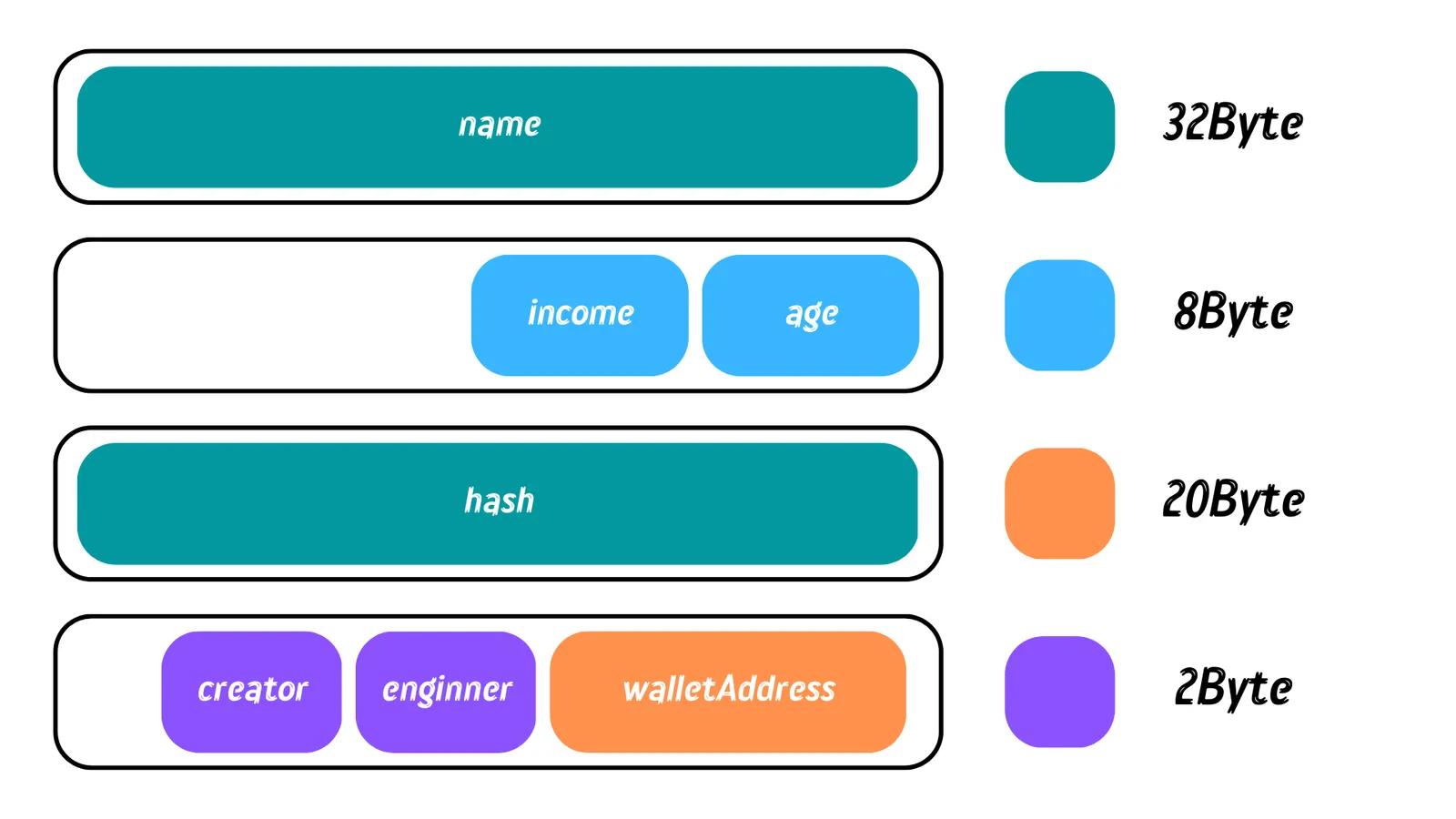
Contract storage is conceptually an address space of 2^256 slots, each 32 bytes wide.
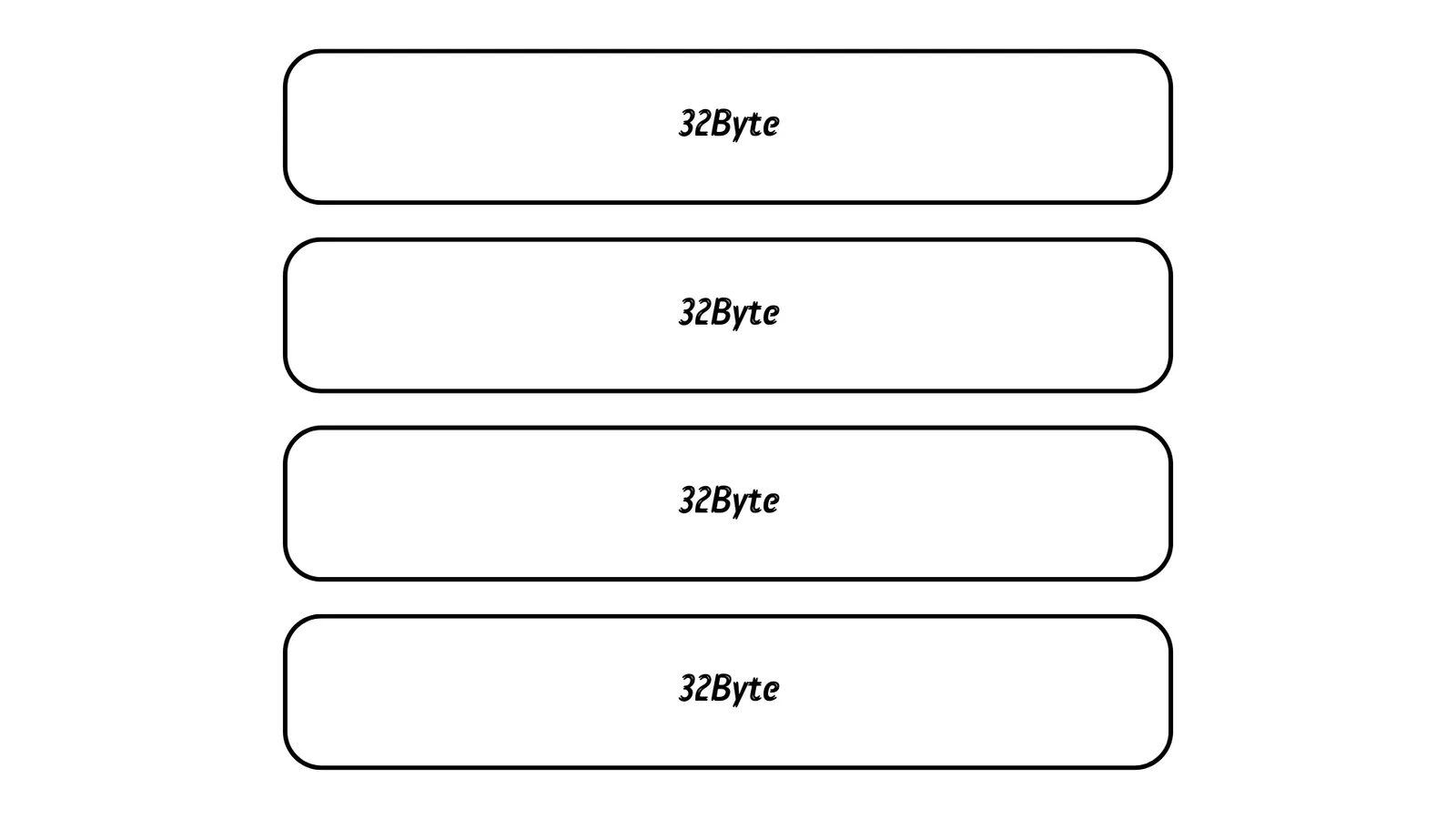
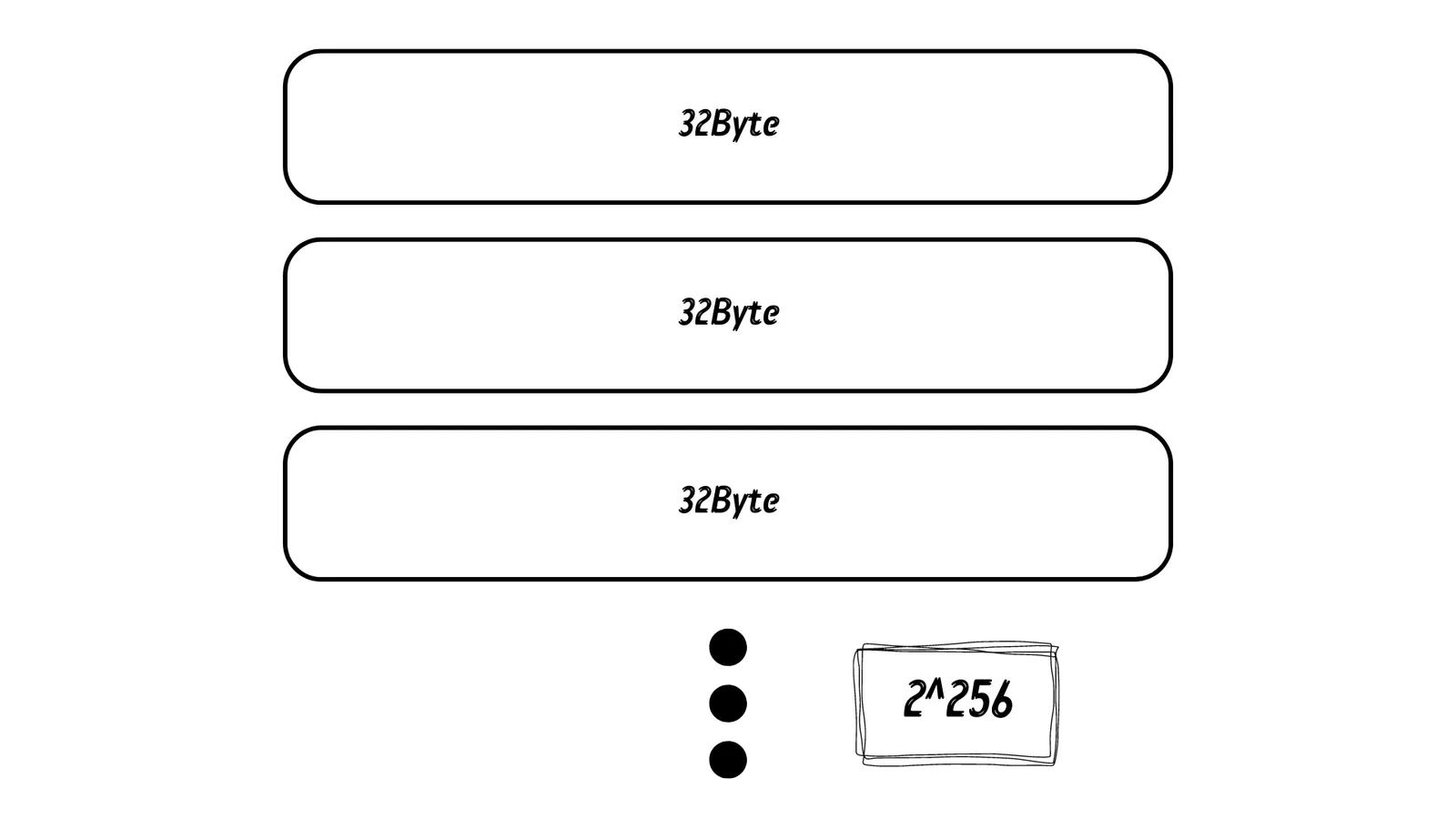
For the ordinary state variables in this example, Solidity assigns storage according to declaration order. Values are packed starting from the lower-order end of a slot when multiple values fit within 32 bytes.
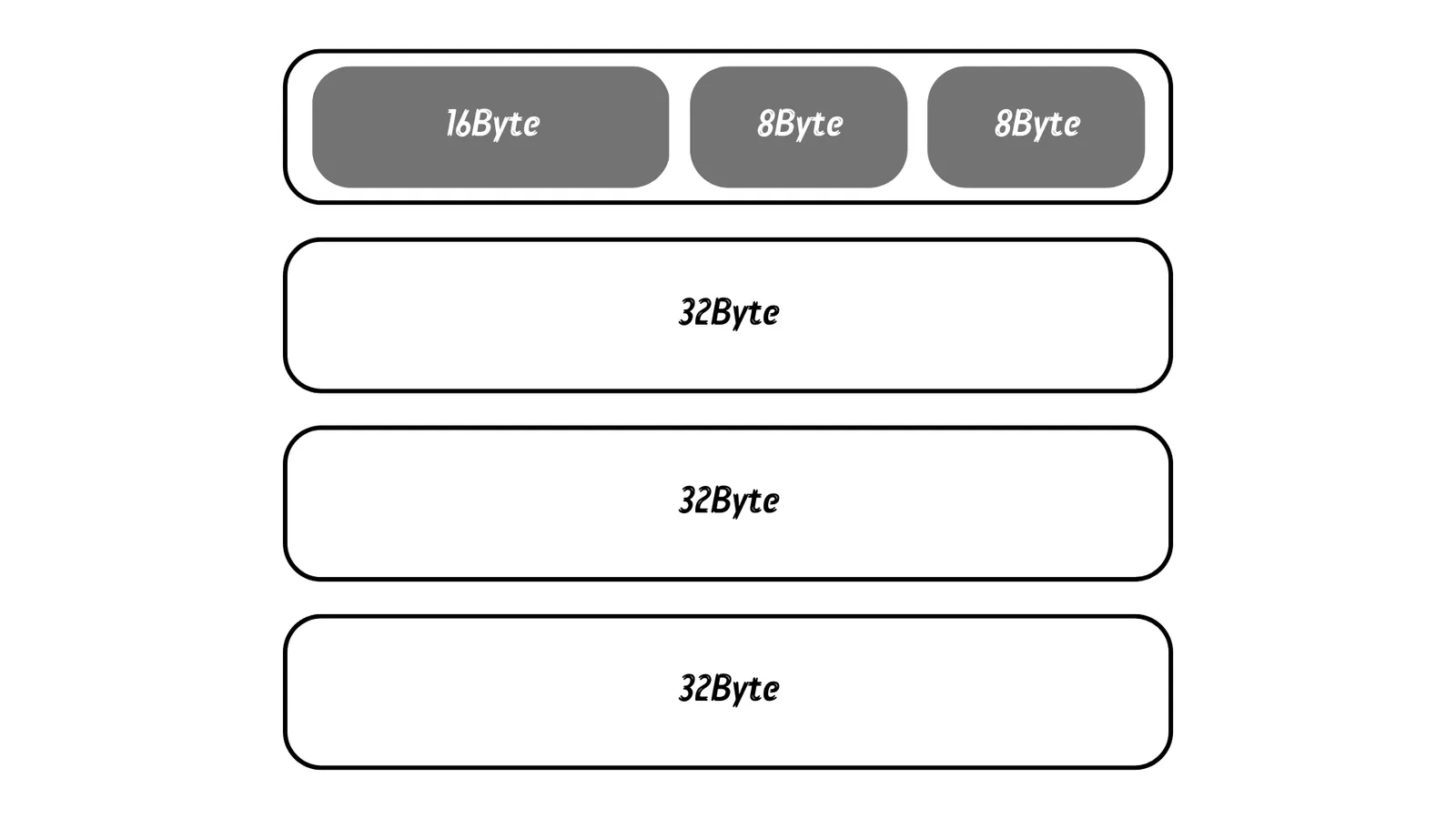
Suppose the following variables are declared.
// SPDX-License-Identifier: GPL-3.0

pragma solidity ^0.8.13;

contract Private {
    string name;
    uint8 age;
    uint8 income;
    bytes32 hash;
    address walletAddress;
    bool engineer;
    bool creator;
}
The seven variables are laid out as shown below.
The following diagram shows an example with values assigned.
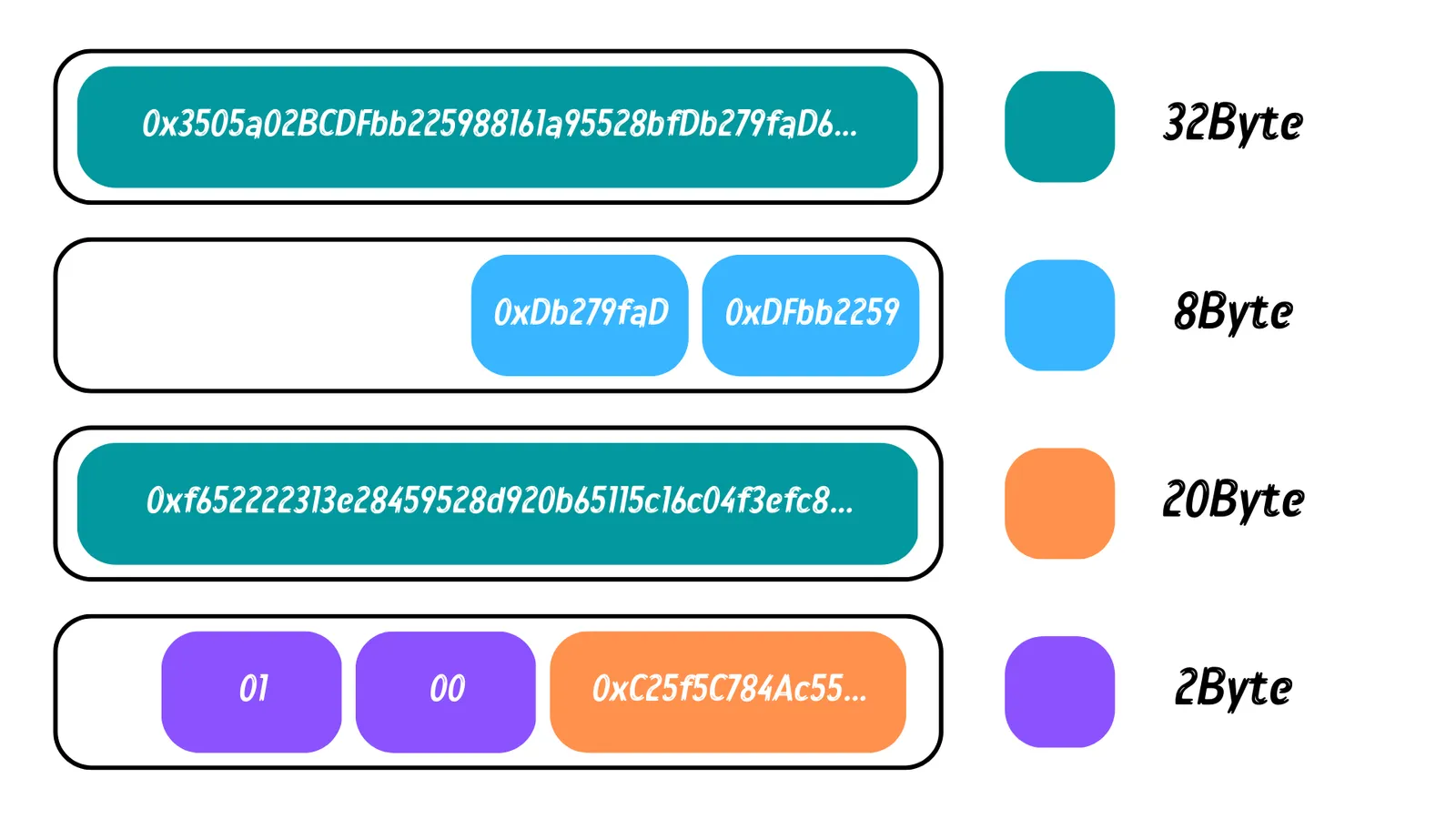
The same declarations are annotated with their slot numbers here.
// SPDX-License-Identifier: GPL-3.0

pragma solidity ^0.8.13;

contract Private {
    string name;           // スロット0
    uint8 age;             // スロット1
    uint8 income;          // スロット1
    bytes32 hash;          // スロット2
    address walletAddress; // スロット3
    bool engineer;         // スロット3
    bool creator;          // スロット3
}
Arrays and mappings have different storage rules, which are outside the scope of this article.
Storage details
Storage values are recorded in blockchain state, and writing to storage incurs gas costs.
The original article gives 20,000 gas as the cost for occupying a previously zero 32-byte (256-bit) slot, and 5,000 gas as an illustrative cost for updating a nonzero slot. A slot does not need to be completely filled for a write to incur a cost.
Clearing a nonzero slot may qualify for a gas refund. Exact charges and refunds depend on the applicable EVM gas schedule, access warmth, and original, current, and new slot values; these figures are not universal transaction-cost estimates.
The same storage principles apply to public state variables.
Reading private storage data

It might seem that nobody can read a private variable, but blockchain storage can be inspected independently of Solidity visibility.
Private visibility limits direct access in Solidity code, not the ability to inspect publicly available blockchain state.
The following historical tutorial illustrates this using a local contract.
Setting up Truffle
Truffle is a framework for compiling, testing, and deploying smart contracts. This is a historical tutorial using the tools and output available when the original article was written.
Install Truffle:
npm install -g truffleNode.js must be installed first. The following article explains its installation.
Create a project directory.
mkdir private_truffle
cd private_truffle
Initialize the project.
truffle initThe project should have the following structure.
.
├── contracts
├── migrations
├── test
└── truffle-config.js
Create the contract and test files.
truffle create contract Private
truffle create test test
The directory structure should now resemble the following.
.
├── contracts
│   └── Private.sol
├── migrations
├── test
│   └── test.js
└── truffle-config.js
Paste the following contract into Private.sol.
// SPDX-License-Identifier: GPL-3.0

pragma solidity ^0.8.17;

contract Private {
    string private name = "cardene";
    uint8 private age = 30;
    uint8 private income = 30;
    bytes32 private hash = "6a78e3e709447c0b671c573a4b562d6";
    address private walletAddress = 0xC255C784Ac559339A99F91a22E2063ff66B83354;
    bool private engineer = true;
    bool private creator = false;
}
Compile the contract.
truffle compileThe original compilation output is shown below.
Compiling your contracts...
===========================
> Compiling ./contracts/Private.sololc-bin. Attempt #1
> Artifacts written to /Users/.../build/contracts
> Compiled successfully using:
   - solc: 0.8.17+commit.8df45f5f.Emscripten.clang
A build directory is created.
.
├── build
│   └── contracts
│       └── Private.json
├── contracts
│   └── Private.sol
├── migrations
├── test
│   └── test.js
└── truffle-config.js
Start the local development environment.
truffle developThe tool displays local test addresses and a prompt.
truffle(develop)>Create a migration file named 1_initial_private.js inside the migrations directory, and add the following code.
const Migrations = artifacts.require("Private");

module.exports = function (deployer) {
  deployer.deploy(Migrations);
};
Run the migration in the local console.
truffle(develop)> migrateThe original example produced output like this.
Deploying 'Private'
   -------------------
   > transaction hash:    0xe55cecefb706e6dd3c544a587c2ea3d210d60ff5b8007c23ce9fa9ebc8a7a9da
   > Blocks: 0            Seconds: 0
   > contract address:    0xD4daa96901Ad1112Ec750c84C852D4F6BBc5e83E
   > block number:        1
   > block timestamp:     1671512753
   > account:             0x1F09Ca739ae733511eE0ba49B38Fa72a8557a9A6
   > balance:             99.999414407125
   > gas used:            173509 (0x2a5c5)
   > gas price:           3.375 gwei
   > value sent:          0 ETH
   > total cost:          0.000585592875 ETH
Use the deployed local contract address from the output to inspect the first storage slot.
truffle(develop)> data = "contract addressの値"
例)data = "0xD4daa96901Ad1112Ec750c84C852D4F6BBc5e83E"
'0xD4daa96901Ad1112Ec750c84C852D4F6BBc5e83E'

truffle(develop)> web3.eth.getStorageAt(data, 0)
'0x63617264656e650000000000000000000000000000000000000000000000000e'
The long hexadecimal value is the raw contents of that slot.
Reading name
The first value is intended to be the name. Inspect the value as text.
truffle(develop)> name = "0x63617264656e650000000000000000000000000000000000000000000000000e"
'0x63617264656e650000000000000000000000000000000000000000000000000e'

truffle(develop)> web3.utils.toAscii(name)
'cardene\x00\x00\x00\x00\x00\x00\x00\x00\x00\x00\x00\x00\x00\x00\x00\x00\x00\x00\x00\x00\x00\x00\x00\x00\x0E'
The result starts with "cardene", even though the state variable is private.
The zero bytes following the string are unused storage space in this example. The final byte also encodes the short string's length according to Solidity's storage encoding. A partially occupied slot still incurs storage-write costs.
Reading slot 1 and subsequent slots
Inspect the remaining slots in the local example.
truffle(develop)> slot1 = web3.eth.getStorageAt(data, 1)
'0x0000000000000000000000000000000000000000000000000000000000001e1e'
truffle(develop)> slot2 = web3.eth.getStorageAt(data, 2)
'0x3661373865336537303934343763306236373163353733613462353632643600'
truffle(develop)> slot3 = web3.eth.getStorageAt(data, 3)
'0x000000000000000000000001c255c784ac559339a99f91a22e2063ff66b83354'
Some slots contain multiple packed values.
Slot 1
Slots 1 and 3 illustrate this packing. Examine slot 1 first.
truffle(develop)> parseInt("0x1e", 16)
30
Converting hexadecimal 0x1e to decimal yields 30, matching the declared private values.
The original article also shows the following illustration. The raw packed bytes are actually 1e1e; the displayed 3030 below is not the hexadecimal encoding of those values.
0x0000000000000000000000000000000000000000000000000000000000003030Slot 2
Inspect the contents of slot 2, omitting the trailing zero byte for the text conversion.
0x3661373865336537303934343763306236373163353733613462353632643600

web3.utils.toAscii("0x36613738653365373039343437633062363731633537336134623536326436")
'6a78e3e709447c0b671c573a4b562d6'
The decoded string matches the assigned value.
Slot 3
First consider the wallet address stored in slot 3.
'0x000000000000000000000001c255c784ac559339a99f91a22e2063ff66b83354'The higher-order portion shown as 000000000000000000000001 contains padding and the packed Boolean values. The lower-order 20 bytes contain the address.
truffle(develop)>  web3.utils.numberToHex("0xc255c784ac559339a99f91a22e2063ff66b83354")
'0xc255c784ac559339a99f91a22e2063ff66b83354'
The address matches the example's assigned value.
The remaining Boolean fields are engineer and creator. Their bytes are shown below.
engineer = 01
creator = 00
Converting these values gives:
truffle(develop)> parseInt("0x01", 16)
1
truffle(develop)> parseInt("0x00", 16)
0
A value of 1 represents true and 0 represents false. All the private values in the local example can therefore be recovered from raw storage.
Mitigation

There is no confidentiality guarantee from the private visibility specifier. Do not store plaintext passwords, credentials, or other secrets in publicly readable blockchain state.
Conclusion

This article explained private state variables and storage inspection.
Key points
- Understand what private data means at the Solidity language level.
- Understand that raw blockchain storage remains readable.
- Avoid storing confidential information in plaintext on-chain.
If you have questions, feel free to contact me on Twitter. I regularly write about Solidity, blockchain, and Web3 and share interesting articles there.
References
https://medium.com/@ashwin.yar/how-to-access-private-data-from-a-smart-contract-eb478fca6e15
https://learnblockchain.cn/article/1759
https://coinsbench.com/accessing-private-data-hack-solidity-4-f94d479432c7